EU AI Act Article 50 for Developers: What You Actually Have to Label, and How (Tested C2PA and IPTC Commands)

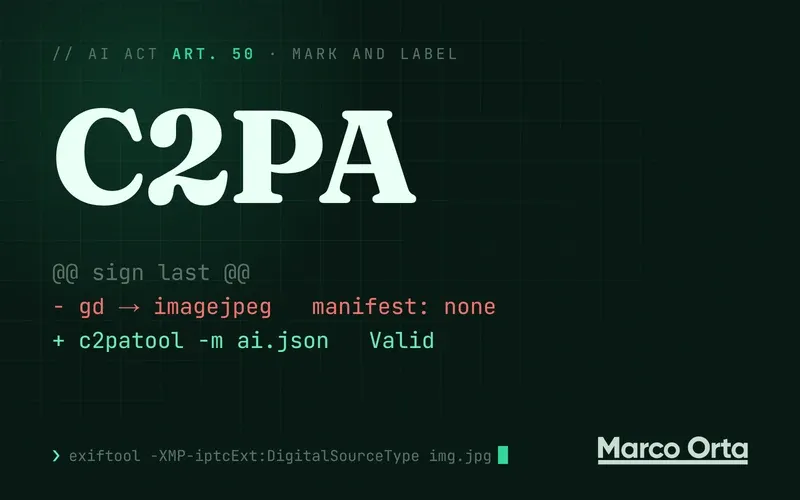
Table of Contents
Article 50 of the AI Act has applied since August 2, 2026, but it doesn’t require an “AI-generated” label on everything. It puts two different duties on two different parties. The provider of the system (OpenAI, Google) must mark what it generates in a machine-readable format. Whoever uses it only needs a visible label on deepfakes and on public-interest text without human review. The Digital Omnibus granted a grace period, but only for the technical marking, and only until December 2, 2026 for systems already on the market. Below: who does what, the IPTC and C2PA commands I tested, which tools silently strip those marks (my own backend did), and the two API flags almost nobody sends.
A caveat: this is a developer’s reading of public texts, not legal advice. Every date and figure links to its source.
What Article 50 says, in three duties
Article 50 of Regulation (EU) 2024/1689 splits transparency like this:
| Paragraph | Who | What |
|---|---|---|
| 50(1) | Provider of a chatbot | People must know they’re talking to an AI, unless it’s obvious |
| 50(2) | Provider of a generative system | Outputs must be “marked in a machine-readable format” and detectable as artificial |
| 50(4) | The deployer | A visible label on deepfakes, and on text published to inform the public on matters of public interest, unless it went through human review with editorial responsibility |
Three nuances change how to read it:
- Technical marking is the provider’s job. If you generate images through OpenAI’s or Google’s API, they carry 50(2). You become a provider if you build and offer a generative system under your own name, such as an image generator for your clients.
- An illustration is not a deepfake. The Commission’s guidelines (C(2026) 5054, July 20, 2026) require three criteria at once: resemblance to existing or plausible people, places or events, and a false appearance of authenticity. An infographic or an illustrated cover doesn’t meet them.
- It applies outside the EU. Article 2(1)(c) reaches providers and deployers in third countries “where the output produced by the AI system is used in the Union”. A Mexican company with users in Spain is in scope.
Fines for Article 50 reach €15 million or 3% of total worldwide annual turnover, whichever is higher (Art. 99(4)(g)). For SMEs, whichever is lower. If you see “€7.5 million or 1%”, that’s the fine for supplying incorrect information to authorities, not the Article 50 one.
What the Omnibus actually changed
Regulation (EU) 2026/1744, published on July 24, 2026, mostly postponed the high-risk obligations. For Article 50 it only granted a narrow grace period: systems placed on the market before August 2, 2026 have until December 2, 2026 to comply with 50(2). In the words of the Commission’s FAQ from July 24: “Content generated prior to 2 August 2026 does not need to be labelled retroactively.”
50(1) and 50(4) get no grace period.
What the Code of Practice asks for
On July 8, 2026 the Commission deemed adequate the Code of Practice on transparency of AI-generated content, whose final version dates from June 10. It’s voluntary, but it spells out what the Commission considers sufficient marking:
- At least two layers. Digitally signed, time-stamped metadata, plus an imperceptible watermark. As IPTC puts it, the only technology that meets the first today is C2PA.
- Don’t remove existing marks when transforming content.
- A free detector per provider, and detection interoperability before February 2, 2027.
- For deployers, the EU icons on visible labels.
The two marks that exist: IPTC and C2PA
- IPTC Digital Source Type is an XMP field holding a controlled-vocabulary value. For fully AI-generated content it’s
http://cv.iptc.org/newscodes/digitalsourcetype/trainedAlgorithmicMedia, and when only part is AI,compositeWithTrainedAlgorithmicMedia. It’s declarative: anyone can write or delete it. - C2PA (Content Credentials, spec 2.4) is a manifest inside the file, signed with an X.509 certificate and carrying a hash of the content. Change one pixel and the signature no longer matches.
There’s a practical reason to write both: according to a study IPTC reported on (March 2026), Instagram reads IPTC but not C2PA, and LinkedIn reads C2PA but not IPTC.
IPTC with exiftool
Tested with exiftool 12.76 on JPEG, PNG and MP4:
exiftool -overwrite_original \
  -XMP-iptcExt:DigitalSourceType="http://cv.iptc.org/newscodes/digitalsourcetype/trainedAlgorithmicMedia" \
  image.jpg

exiftool -G1 -XMP-iptcExt:DigitalSourceType image.jpg
# [XMP-iptcExt] Digital Source Type : http://cv.iptc.org/newscodes/digitalsourcetype/trainedAlgorithmicMedia
C2PA with c2patool
Tested with c2patool 0.27.22, the binary from the contentauth/c2pa-rs release. The manifest declares the creation action and its source type:
{
  "alg": "es256",
  "private_key": "es256_private.key",
  "sign_cert": "es256_certs.pem",
  "ta_url": "http://timestamp.digicert.com",
  "claim_generator_info": [{ "name": "my-app", "version": "1.0" }],
  "assertions": [
    {
      "label": "c2pa.actions",
      "data": {
        "actions": [
          {
            "action": "c2pa.created",
            "digitalSourceType": "http://cv.iptc.org/newscodes/digitalsourcetype/trainedAlgorithmicMedia",
            "softwareAgent": { "name": "gpt-image-1" }
          }
        ]
      }
    }
  ]
}
c2patool src.jpg -m ai.json -o signed.jpg -f   # sign
c2patool signed.jpg                             # read: "validation_state": "Valid"
With the repository’s test certificate the signature validates but is flagged signingCredential.untrusted. In production you need a certificate from an authority on the C2PA trust list. It signed an H.264 MP4 just as well.
C2PA from Node
The current package is @contentauth/c2pa-node (the unscoped c2pa-node is the old one). Tested with 0.9.8:
import { Builder, LocalSigner } from '@contentauth/c2pa-node';
import { readFile } from 'node:fs/promises';

const signer = LocalSigner.newSigner(await readFile('certs.pem'), await readFile('private.key'), 'es256');
const builder = await Builder.withJsonAsync({
  claim_generator_info: [{ name: 'my-app', version: '1.0' }],
  assertions: [],
});
builder.setIntent({ create: 'http://cv.iptc.org/newscodes/digitalsourcetype/trainedAlgorithmicMedia' });
builder.sign(signer, { path: 'src.jpg' }, { path: 'signed.jpg' });
Two traps I hit: passing a timestamp URL to LocalSigner.newSigner and signing with the synchronous sign blows up with “the sync http resolver is not implemented”, and signAsync requires a CallbackSigner, not a LocalSigner. Without a timestamp it works and validates. I found no official PHP SDK: from Laravel, the sensible route is calling c2patool through Process.
What strips the marks without telling you
This is the part no guide covers. I ran an image marked with both IPTC and C2PA through the transformations any pipeline has:
| Transformation | IPTC | C2PA |
|---|---|---|
sharp by default (resize().toFile()) | lost | lost |
sharp with withMetadata() | kept | lost |
| sharp to WebP | — | lost |
PHP GD (imagecreatefromstring → imagejpeg) | lost | lost |
ImageMagick -resize | kept | stays, but invalid (“Hashes do not match”) |
ffmpeg -c copy (MP4 remux) | — | lost |
| ffmpeg re-encoding | lost | — |
The browser’s canvas.toBlob() re-encodes from scratch too, so it keeps nothing either. The image tools on this site work that way.
The rule that falls out of the table: sign C2PA last, on the exact file you publish. A manifest broken by a resize is worse than none, because a verifier shows it as invalid. If you need to transform a file that’s already signed, the right way is a new manifest with the original as an ingredient and the c2pa.resized action. Cloudflare Images does this with its Preserve Content Credentials option.
My backend was stripping them
The backend that publishes this site’s social media generates images with Gemini and OpenAI, which already ship them with C2PA. The first thing it does is crop them to 1080×1350 and stamp the logo with GD: imagecreatefromstring, draw, imagejpeg. That line throws away the provider’s manifest before anything is uploaded. The only thing that may survive is the watermark in the pixels (SynthID, in Google’s case), and I haven’t measured whether it withstands the crop, the logo and 85% JPEG.
Legally nothing obliges me here: I’m a deployer, these are illustrations and not deepfakes, and 50(2) is the provider’s job. But the Code asks you not to remove existing marks, and the platforms use that metadata to apply their own labels. The fix is ordering: write IPTC compositeWithTrainedAlgorithmicMedia (there’s a logo and text on top) and sign C2PA after GD, as the last step before upload.
Platform flags
Besides metadata, two platforms accept an explicit declaration through their API:
- YouTube Data API:
status.containsSyntheticMedia(boolean) onvideos.insertandvideos.update, available since October 2024. YouTube only asks for it on realistic content; a motion-graphics video doesn’t need it. - TikTok Content Posting API:
post_info.is_aigc(boolean) on direct posts, which labels the video as AI-generated content.
I found no documented parameter in the Instagram and Facebook Graph API: Meta infers the label from the file’s metadata.
And the chatbot
50(1) is the easiest to breach by accident. My support agent’s prompt said “you talk like a real person on the team”, going for a warm tone. The widget did say it was an AI assistant, but if someone asked “are you a person?”, nothing in the prompt stopped it from saying yes. The fix was replacing that line with the tone of someone on the team and adding a non-negotiable rule: “You are an artificial intelligence. If someone asks whether they’re talking to a person or a bot, say so clearly and offer to hand over to a person on the team.” Plus a test that fails if that rule ever leaves the prompt.
And in Mexico?
There’s no labelling obligation. The reform published in the DOF on May 14, 2026 to the Federal Labour Law and the Federal Copyright Law covers something else: consent and payment for using performers’ image or voice with AI (Art. 305 Bis of the LFT, and Arts. 87, 118 and 121 of the LFDA). There’s no general AI law, and the labelling bill in the Senate hasn’t been voted on. If you use a cloned voice in Mexico, what applies to you is consent from the person who owns the voice, not a label.
Checklist
- Work out whether you’re the provider or the deployer of each system. You’re almost always the latter.
- If you offer a chatbot, make it say it’s an AI and never deny it.
- Visible labels only on deepfakes and on informational text without human review, with the EU icons.
- Write IPTC and C2PA, because each platform reads one.
- Sign last, on the file you publish, and check what each step of your pipeline strips.
- On YouTube and TikTok, send the flag when the content is realistic.
Frequently asked questions
Since when is labelling AI-generated content mandatory in the EU?
Article 50 of the AI Act has applied since August 2, 2026. Regulation 2026/1744 (the Omnibus) granted a grace period until December 2, 2026 only for the technical marking in 50(2), and only for systems already on the market before August 2. Content generated before August 2 does not need to be labelled retroactively.
Do I have to put an "AI-generated" label on every image I generate?
No. The visible label is the deployer's duty only for deepfakes (content that falsely appears real) and for text published to inform the public on matters of public interest that has not gone through human review. Machine-readable technical marking is the duty of the generative system's provider, such as OpenAI or Google.
What is the fine for breaching Article 50 of the AI Act?
Up to €15 million or 3% of total worldwide annual turnover, whichever is higher, under Article 99(4)(g). For SMEs, whichever is lower applies. The €7.5 million or 1% figure that circulates is the fine for supplying incorrect information to authorities.
Does the AI Act apply to a company outside the EU?
Yes, if the output of its AI system is used in the European Union (Article 2(1)(c)). For example, a chatbot serving users in Spain, or generated content published for a European audience.
Why does C2PA disappear from my images?
Because almost any re-encode removes it: sharp by default, sharp with withMetadata, PHP GD, ffmpeg remuxing an MP4 and the browser canvas. ImageMagick keeps it but invalidated. The fix is signing C2PA as the last step, on the exact file you publish.
Found it useful? Get the next one by email
Once a week: what breaks when you upgrade, AI for developers and what I'm building, with sources. No spam.
By subscribing you accept our privacy policy.