JavaScript replace and replaceAll: complete guide with regular expressions (2026)

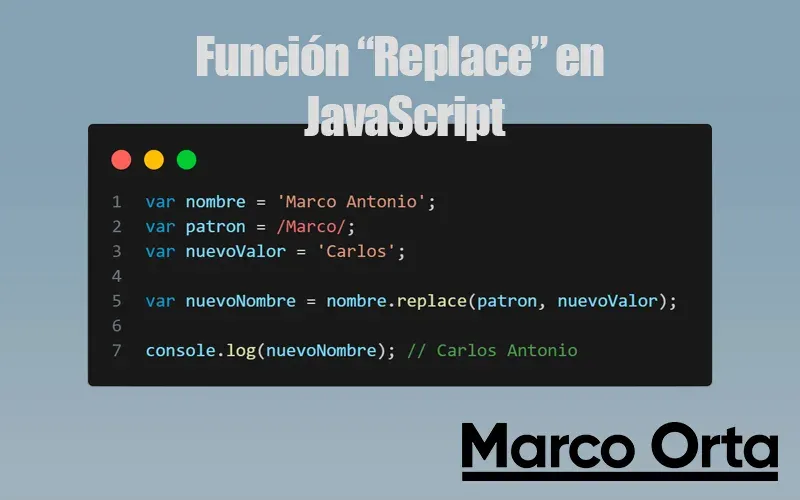
Table of Contents
Introduction
JavaScript’s replace function is a powerful and flexible tool for modifying strings. It is widely used in web development for everything from simple text substitutions to complex pattern-based string manipulation. This function is part of the String object and provides the ability to search for a substring within a string and replace it with another, which can be extremely useful in a wide variety of programming contexts.
Why does string manipulation matter in JavaScript?
Manipulating strings is one of the most common operations in most software programs, especially in web development. From validating and formatting user input to generating dynamic content and performing text analysis, the ability to modify strings efficiently is crucial. JavaScript, being one of the most widely used programming languages for web application development, offers several methods for string manipulation, with replace being one of the most versatile thanks to its ability to work with both literal text and regular expressions.
In this article we will explore how to use the replace function to perform common and advanced text manipulation tasks, providing practical examples and tips to get the most out of it.
Basic Concepts of replace
The replace function in JavaScript is a method on the String object that lets you replace parts of a string with another value. Understanding the basic syntax and proper usage is essential to applying this method effectively.
Basic syntax and parameters
The syntax of the replace function is as follows:
string.replace(searchValue, newValue)
searchValue: Can be a string to search for directly, or a regular expression defining a pattern to match.newValue: The string that will replace the matchedsearchValue. It can also be a function that returns the replacement string.
Simple usage examples
Here are a few basic examples to understand how the replace method works:
-
Simple text replacement:
let text = "Hello world"; let newText = text.replace("world", "everyone"); console.log(newText); // Output: "Hello everyone" -
Capitalizing a word:
let greeting = "hello world"; let capitalizedGreeting = greeting.replace("hello", "Hello"); console.log(capitalizedGreeting); // Output: "Hello world" -
Removing unnecessary whitespace:
let phrase = "   JavaScript   ";
let trimmedPhrase = phrase.replace(/^\s+|\s+$/g, "");
console.log(trimmedPhrase);  // Output: "JavaScript"
These examples illustrate how the replace function can be used to make simple modifications to strings. As we move forward, we will explore how to extend these use cases to more complex contexts through regular expressions and replacement functions.
replaceAll(): replace every match
If you need to replace all occurrences of a piece of text (not just the first one), String.prototype.replaceAll() is the most direct and readable way to do it in modern JavaScript. It was introduced in ES2021 and today works in every current browser and in Node 15+.
replace vs replaceAll: which one to use
The difference is small but fundamental:
replace() | replaceAll() | |
|---|---|---|
| With a string literal | First match only | Every match |
With regex without g | First match only | ❌ TypeError |
With regex with g | Every match | Every match |
| Available since | Always (ES3) | ES2021 / Node 15+ |
| When to use it | Single replacement or regex patterns | Replace everything with literal text |
const phrase = "rose, blue, rose";

phrase.replace("rose", "green");     // "green, blue, rose"  (first only)
phrase.replaceAll("rose", "green");  // "green, blue, green" (all)
Before ES2021, the only way to replace all matches (replace all) was to use a regular expression with the global g flag (replace(/rose/g, "green")). With literal text, replaceAll is equivalent but far clearer to read.
Syntax and examples
string.replaceAll(pattern, replacement)
// Normalize separators
"2026/07/14".replaceAll("/", "-");    // "2026-07-14"

// Strip every space
"a b c d".replaceAll(" ", "");         // "abcd"

// Dynamic replacement with a function (same as replace)
"a1b2c3".replaceAll(/\d/g, (d) => `[${d}]`); // "a[1]b[2]c[3]"
The g flag gotcha
If you pass a regular expression to replaceAll, it must include the global g flag; otherwise it throws a TypeError:
"abc".replaceAll(/a/, "X");   // ❌ TypeError
"abc".replaceAll(/a/g, "X");  // ✅ "Xbc"
To fine-tune your patterns and see the matches in real time before moving them into your code:
Using Regular Expressions
Regular expressions (regex) are a powerful tool for finding patterns within text. In JavaScript, the replace function can be used with regular expressions to perform more complex and specific replacements that would not be achievable with plain strings alone.
Introduction to regular expressions
A regular expression is a sequence of characters that forms a search pattern, used primarily to search for string patterns. In JavaScript, regex are defined between slashes (/) and can include a series of symbols that specify what is being searched for.
Applying replace with regular expressions
Using regular expressions with replace provides great flexibility. Here are some examples of how to apply them:
-
Replacing specific characters:
let text = "123-456-7890"; let newText = text.replace(/-/g, "."); console.log(newText); // Output: "123.456.7890" -
Transforming date formats:
let date = "2021-04-05"; let usFormattedDate = date.replace(/(\d{4})-(\d{2})-(\d{2})/, "$2/$3/$1"); console.log(usFormattedDate); // Output: "04/05/2021" -
Capitalizing the first letter of each word:
let phrase = "hello world";
let capitalizedPhrase = phrase.replace(/(^\w{1})|(\s+\w{1})/g, letter => letter.toUpperCase());
console.log(capitalizedPhrase); // Output: "Hello World"
Common use cases with regex
Regular expressions are especially useful for:
- Data validation: Ensuring that user input follows a specific format, such as email addresses, phone numbers, or postal codes.
- Search and replace in text: Identifying and modifying specific patterns within large blocks of text, such as code, HTML tags, or specific syntax.
- Data cleaning: Removing unnecessary whitespace, correcting common spelling errors, or standardizing text formats.
Using regular expressions together with replace greatly expands the possibilities for text manipulation in JavaScript, enabling complex operations to be performed concisely and efficiently.
The v flag: modern Unicode regex (ES2024)
Since ES2024, regular expressions support a new flag, v, which is an improved version of the classic u (Unicode) flag. It enables several features worth knowing in 2026:
- Unicode property classes with set notation: intersection (
&&), subtraction (--), and union. - Strings inside character classes (multi-code-point strings such as composite emojis).
- Better handling of emojis with modifiers (flags, skin tones, ZWJ sequences).
// Remove all emojis while preserving the rest of the text
let text = "Hello 👋 world 🌎!";
let clean = text.replace(/\p{Emoji}/gv, "");
console.log(clean); // Output: "Hello  world !"

// Replace only non-ASCII letters
let mixed = "Cafe café CAFÉ";
let normalized = mixed.replace(/[\p{Letter}--[\p{ASCII}]]/gv, (ch) =>
  ch.normalize("NFD").replace(/\p{Diacritic}/gu, "")
);
console.log(normalized); // Output: "Cafe cafe CAFE"
The v flag replaces u in new code; the two cannot be combined. If you do not need the new features introduced by v, u remains perfectly valid.
Advanced Replacement
JavaScript’s replace function not only allows text replacement using strings and regular expressions — it also accepts functions as the second argument. This enables more dynamic and conditional replacements, which significantly expands its text manipulation capabilities.
Using functions as the second argument in replace
When a function is used as the second argument of replace, that function is called for each match found, and its return value is used as the replacement text. The function’s parameters provide access to the matched text, any captured groups in a regular expression, and the index of the match within the original string.
Replacement function example:
let text = "Apples are red.";
let modifiedText = text.replace(/apples|red/gi, (match) => {
    return match.toLowerCase() === "apples" ? "oranges" : "orange";
});
console.log(modifiedText);  // Output: "oranges are orange."
Dynamic and conditional replacement examples
-
Modifying numeric format:
let prices = "The price is 1000 dollars."; let updatedPrices = prices.replace(/\d+/g, (n) => `$${parseInt(n) * 1.1}`); console.log(updatedPrices); // Output: "The price is $1100 dollars." -
Incorporating conditional logic:
let phrase = "We visited Paris and then Berlin."; let modifiedPhrase = phrase.replace(/Paris|Berlin/g, city => { return city === "Paris" ? "London" : "Amsterdam"; }); console.log(modifiedPhrase); // Output: "We visited London and then Amsterdam." -
Adjusting text format:
let bio = "born in 1992, programmer and writer.";
let capitalizedBio = bio.replace(/(^\w|\.\s*\w)/g, char => char.toUpperCase());
console.log(capitalizedBio);  // Output: "Born in 1992, programmer and writer."
These techniques demonstrate how replace can be used not only for simple replacements, but also for complex, context-specific transformations. By combining regular expressions with replacement functions, you can achieve a high degree of precision and flexibility when manipulating strings in JavaScript.
Common Use Cases
JavaScript’s replace function is extremely versatile, finding applications in a wide variety of common software development scenarios. Here we explore some of the most frequent uses of this function in the programming world.
Correcting common text errors
In many systems, especially those that involve user data entry, typos and inconsistencies in how data is entered are common. Replace can help standardize this data for processing or storage:
let misspelled = "Recieved";
let corrected = misspelled.replace("Recieved", "Received");
console.log(corrected);  // Output: "Received"
Formatting user-entered data
Data formatting is crucial for maintaining consistency and for validation. For example, removing unnecessary spaces, changing date formats, or ensuring email addresses are lowercase:
let email = " [email protected] ";
let formattedEmail = email.toLowerCase().replace(/^\s+|\s+$/g, "");
console.log(formattedEmail);  // Output: "[email protected]"
Automating text editing
Replace is a useful tool for automating text editing, such as content generation, automatic text correction, or even game and application development that needs to manipulate large amounts of text:
let originalText = "The cat is in the garden.";
let modifiedText = originalText.replace("cat", "dog");
console.log(modifiedText);  // Output: "The dog is in the garden."
Normalizing data for databases
When handling data that will be stored in databases, it is important to ensure that the data is normalized. For example, converting to upper or lowercase, adjusting dates to a standard format, and cleaning character strings:
let userInput = "  FirstName  ";
let dbFormat = userInput.trim().replace(/\s+/g, "").toUpperCase();
console.log(dbFormat);  // Output: "FIRSTNAME"
These examples illustrate how the replace function can be applied in various contexts to improve the quality and consistency of handled data, as well as to facilitate user interaction with automated systems and reduce the manual workload in repetitive editing and formatting tasks.
Limitations and Considerations
Although JavaScript’s replace function is very useful and powerful, it has certain limitations and considerations that developers should keep in mind when using it in their projects. Here we discuss some of the main limitations and how they can be addressed.
Limitations of replace in JavaScript
-
Single replacement by default:
-
By default,
replaceonly replaces the first occurrence of the searched value in the string, unless a regular expression with the global flag (g) is used orreplaceAllis used, which is natively available since ES2021 (Node 15+ and all modern browsers). -
Solution 1 (classic): Use regular expressions with the global flag.
let phrase = "red, blue, red"; let modifiedPhrase = phrase.replace(/red/g, "green"); console.log(modifiedPhrase); // Output: "green, blue, green" -
Solution 2 (modern): Use
replaceAll, much more readable when you just need to replace literal text.let phrase = "red, blue, red"; let modifiedPhrase = phrase.replaceAll("red", "green"); console.log(modifiedPhrase); // Output: "green, blue, green" -
Important:
replaceAllwith a regex requires thegflag — otherwise it throws aTypeError.// ❌ TypeError: replaceAll must be called with a global RegExp "abc".replaceAll(/a/, "X"); // ✅ correct "abc".replaceAll(/a/g, "X");
-
-
Limitations with special characters in regex:
-
When using regex, certain special characters must be escaped to be interpreted literally, which can complicate writing correct regular expressions.
-
Solution: Escape special characters correctly.
let path = "C:\\Documents\\New\\file.txt";
let newPath = path.replace(/\\/g, "/");
console.log(newPath);  // Output: "C:/Documents/New/file.txt"
-
-
Performance with large volumes of text:
Replacecan be less efficient with large volumes of text, especially with complex regex.- Solution: Optimize the regular expressions or split the text into more manageable segments.
Tips for overcoming some of these limitations
-
Using functions for complex replacements:
-
By using functions as the second argument in
replace, you can implement more sophisticated replacement logic that responds to specific conditions.let text = "The customer bought 250 units at $5 each."; let updatedText = text.replace(/\d+/g, (n) => n * 1.1); console.log(updatedText); // Output: "The customer bought 275 units at $5.5 each."
-
-
Chaining
replacecalls:-
For multiple different replacements, you can chain calls to
replace.let description = "Error: The file is too large."; let message = description.replace("Error:", "Warning:").replace("too large", "very large"); console.log(message); // Output: "Warning: The file is very large."
-
By understanding these limitations and considering the possible solutions, developers can use the replace function more effectively and efficiently in their applications.
Alternatives to replace
Although replace is an incredibly useful tool for working with strings in JavaScript, there are situations where other methods may be more appropriate or efficient. Let’s explore some alternatives to replace and when it might be preferable to use them.
Additional methods for string manipulation
-
split()andjoin():-
These methods can be used together to replace all occurrences of a pattern in a string.
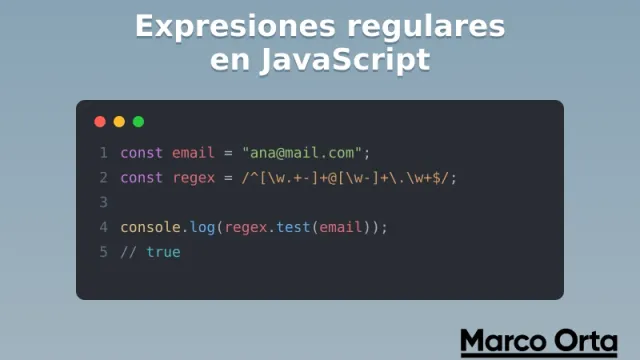
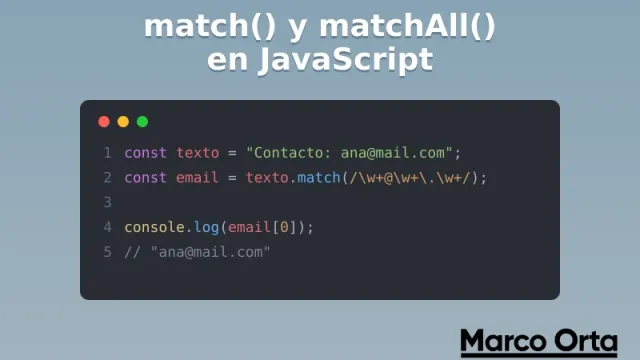
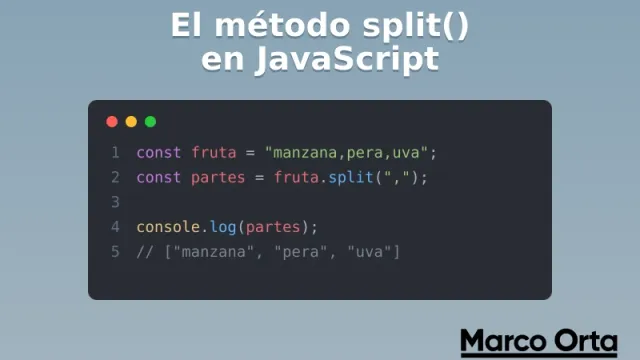
split()divides the string into an array at each occurrence of the pattern, andjoin()reassembles the array elements into a new string, inserting a new substring between elements. If you want to master them, I have a dedicated guide on thesplit()method, another onmatch()andmatchAll()for extracting text, and a complete guide to regular expressions in JavaScript for building the patterns. -
Example:
let message = "banana, apple, banana, cherry";
let newMessage = message.split("banana").join("kiwi");
console.log(newMessage);  // Output: "kiwi, apple, kiwi, cherry"
-
-
substring()andsubstr():-
These methods are useful for extracting specific parts of a string without performing a direct replacement.
-
Example:
let url = "www.example.com/page";
let domain = url.substring(4, 15);
console.log(domain);  // Output: "example.com"
-
-
concat():-
For concatenating strings, this method can be a more semantic and clear alternative in certain contexts where
replacewould otherwise be used to add text. -
Example:
let greeting = "Hello, ";
let name = "Martha";
let fullMessage = greeting.concat(name);
console.log(fullMessage);  // Output: "Hello, Martha"
-
When to use other functions or libraries
- For more complex manipulations: Libraries like Lodash offer functions such as
_.replace()that can handle more complex cases with simpler syntax and better performance in some scenarios. - In modern frameworks: In applications using frameworks like React or Angular, it is often more appropriate to handle string transformation in the presentation logic, or to use framework-specific tools to update the DOM efficiently.
- For complex validation or parsing: Specific regex or language parsers may be more suitable when the goal is to extract or transform data based on highly specific rules that go beyond simple replacements.
These alternatives and considerations can help developers choose the best method for the task at hand, optimizing both code clarity and application performance.
Summary and Best Practices
After exploring JavaScript’s replace function in depth and its various applications, it is useful to consolidate the key takeaways and offer some best practices for its effective use in real-world projects.
Summary of key points
- Functionality:
replaceis a powerful JavaScript tool for modifying strings, capable of using both plain strings and regular expressions to search and replace text. - Flexibility: The function can be used not only for simple replacements, but also for more complex operations, especially when combined with regular expressions or functions as the second argument.
- Common use cases: From text correction and data formatting to editing automation,
replacehas a wide range of applications in web and software development.
Best Practices
- Proper use of regular expressions: Although powerful, regular expressions are expensive in terms of performance. Use them wisely and only when they are necessary for specific cases that cannot be handled more simply.
- Caution with special characters: When working with
replaceand regex, make sure to escape special characters correctly to avoid unexpected errors and unintended behavior. - Performance optimization: In cases where large volumes of text are being manipulated or a replacement is performed in a critical operation, consider alternatives such as
split()andjoin(), or even methods from string manipulation libraries to improve performance. - Thorough testing: Given the often complex nature of text operations, make sure to thoroughly test all functionality involving
replaceto handle all possible cases and ensure there are no unwanted side effects. - Clarity over convenience: Although
replacecan be tempting to use for all kinds of string manipulations, evaluate whether there are clearer or more appropriate methods for your specific needs, especially in large projects where maintainability is key.
These practices will not only help avoid common mistakes, but will also ensure that the code is efficient, maintainable, and easy to understand for other developers.
Found it useful? Get the next one by email
Once a week: what breaks when you upgrade, AI for developers and what I'm building, with sources. No spam.
By subscribing you accept our privacy policy.