JavaScript match() and matchAll(): extract text with regex (2026 guide)

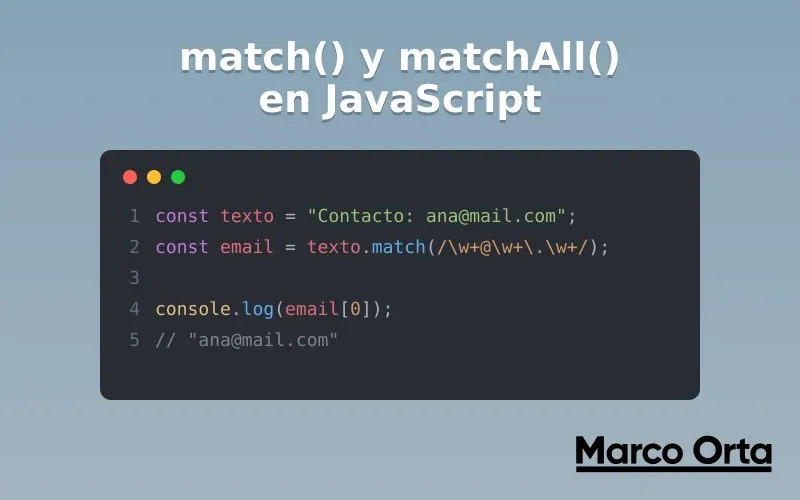
Table of Contents
With replace() you substitute text and with split() you divide it. The third fundamental string operation is missing: extracting information. That is what match() and matchAll() are for — the two methods that combine strings with regular expressions to pull out exactly the data you need.
Extracting every email from a text, capturing the date from a log, grabbing the hashtags from a comment or parsing the values of a template: these are all jobs for match() and matchAll(). In this guide you will see the critical difference between the two (spoiler: the g flag changes everything), how to use named capture groups and the mistakes that silently lose matches.
1. What match() and matchAll() do
Both are methods on the String object that look for matches of a regular expression inside a string and return what they find. The difference is how much they return:
match()— returns an array with the match (or all of them, if you use thegflag), ornullif there is none.matchAll()— returns an iterator with all the matches, including their capture groups and positions. It always requires thegflag.
Mental rule: if you only want to know whether there is a match or extract a single one, match() is enough. If you need all the matches with their capture groups, matchAll() is the right tool.
2. String.prototype.match()
string.match(regexp)
The behavior of match() changes completely depending on whether it has the global g flag or not. This is the detail that causes the most confusion:
Without the g flag: one match with all the details
const text = "My order 2026-07-18 is ready";
const result = text.match(/(\d{4})-(\d{2})-(\d{2})/);

console.log(result[0]); // "2026-07-18"  (the full match)
console.log(result[1]); // "2026"        (capture group 1)
console.log(result[2]); // "07"          (group 2)
console.log(result.index); // 9           (where it starts)
Without g, match() returns the first match with all its capture groups, plus useful metadata like index (where it starts) and input (the original string).
With the g flag: all matches, no groups
const text = "cat, hat, bat, mat";
const words = text.match(/\wat/g);

console.log(words); // ["cat", "hat", "bat", "mat"]
With g, match() returns a flat array with all the full matches, but it loses the capture groups and the metadata. If you need the global matches and their groups, that is exactly the job of matchAll().
The null gotcha
When there is no match at all, match() returns null, not an empty array:
const result = "hello world".match(/\d+/);
console.log(result); // null

// ❌ This throws "Cannot read properties of null"
// result.length

// ✅ Always check before using the result
const numbers = "hello world".match(/\d+/) ?? [];
console.log(numbers.length); // 0
Forgetting this null is one of the most frequent bugs when using match().
3. String.prototype.matchAll()
string.matchAll(regexp)
matchAll() solves the limitation of match() with g: it returns all the matches with their full capture groups. It does so through an iterator, so you usually consume it with the spread operator or with for...of.
const text = "Orders: 2026-07-18 and 2026-08-02";
const matches = [...text.matchAll(/(\d{4})-(\d{2})-(\d{2})/g)];

for (const m of matches) {
  console.log(`Full date: ${m[0]}, year: ${m[1]}, month: ${m[2]}`);
}
// Full date: 2026-07-18, year: 2026, month: 07
// Full date: 2026-08-02, year: 2026, month: 08
matchAll() requires the g flag
If you forget the global flag, matchAll() throws an error (unlike match(), which simply changes behavior):
// ❌ TypeError: matchAll must be called with a global RegExp
"text".matchAll(/\d+/);

// ✅ Correct
"text 123".matchAll(/\d+/g);
This design decision is intentional: it forces the code to make it explicit that you expect several matches.
4. match() vs matchAll(): which one to use
| You need… | Use |
|---|---|
| To know if there is a match (or extract the first) with its groups | match() without g |
| A flat array of all matches (no groups) | match() with g |
| All matches with their capture groups and indices | matchAll() with g |
In practice, matchAll() is the modern, recommended option when you work with several matches and groups: it is more predictable and doesn’t have the surprise effect of the g flag.
5. Named capture groups
Numbered groups (m[1], m[2]) are fragile: if you reorder the regex, everything breaks. Named groups (?<name>...) make the code much more readable and show up in the .groups property:
const date = "2026-07-18";
const { groups } = date.match(/(?<year>\d{4})-(?<month>\d{2})-(?<day>\d{2})/);

console.log(groups.year);  // "2026"
console.log(groups.month); // "07"
console.log(groups.day);   // "18"
With matchAll() it works the same and it’s where it shines the most:
const text = "IP 192.168.0.1 and 10.0.0.5";
const ips = [...text.matchAll(/(?<octet>\d{1,3})\.\d{1,3}\.\d{1,3}\.\d{1,3}/g)];

for (const ip of ips) {
  console.log(`IP ${ip[0]} starts with ${ip.groups.octet}`);
}
You can test and debug these patterns live with the Regex Tester before moving them into your code.
6. Real-world use cases
// Extract every email from a text
const text = "Write to ana@mail.com or to support@company.mx";
const emails = text.match(/[\w.+-]+@[\w-]+\.[\w.-]+/g);
// ["ana@mail.com", "support@company.mx"]

// Extract hashtags from a comment
const comment = "I love #javascript and #webdev 🚀";
const hashtags = [...comment.matchAll(/#(?<tag>\w+)/g)].map((m) => m.groups.tag);
// ["javascript", "webdev"]

// Get every number (including decimals)
const invoice = "Subtotal 1250.50, tax 200, Total 1450.50";
const numbers = invoice.match(/\d+(\.\d+)?/g);
// ["1250.50", "200", "1450.50"]

// Count how many times a word appears
const paragraph = "test the test to test the test";
const times = [...paragraph.matchAll(/\btest\b/g)].length;
// 4
For long texts where you want to verify how many matches to expect, lean on the word counter.
7. match(), test() and exec(): how they relate
match() and matchAll() live on the String object, but the RegExp object offers two methods that sometimes fit better:
// RegExp.test() → you only want a YES or NO (faster)
/\d+/.test("hello 123"); // true

// RegExp.exec() with g → iterates match by match keeping lastIndex
const regex = /\d+/g;
let m;
while ((m = regex.exec("a1 b2 c3")) !== null) {
  console.log(m[0], "at index", m.index);
}
Quick guide: use test() when you only need a boolean, match()/matchAll() when you want to extract the data, and exec() in a loop only in advanced cases where you need to control lastIndex manually.
8. Common mistakes with match() and matchAll()
- Not checking for
null.match()returnsnullif there is no match; use?? []or anifbefore accessing the result. - Expecting capture groups with
match(/.../g). With thegflag,match()discards them. If you want groups, usematchAll(). - Forgetting the
gflag inmatchAll(). It throws aTypeError, it doesn’t fail silently. - Reusing a global RegExp in several places. A global RegExp object keeps its
lastIndexbetweenexec()/test()calls and can give inconsistent results; create the regex where you use it. - Not escaping special characters. Dots, parentheses or brackets in the pattern must be escaped (
\.,\() if you’re searching for them literally.
9. Performance and best practices
- If you only need to check existence,
test()is faster thanmatch()because it doesn’t build the result array. - Prefer
matchAll()overmatch()withgwhen you work with groups: the code is clearer and you avoid the surprise behavior of the global flag. - Use named groups as soon as your regex has more than one group: your future self will thank you.
- Compile the regular expression once (outside the loop) if you’re going to apply it to many strings.
With replace(), split(), match() and matchAll() in your toolbox you cover the four essential string operations: substitute, split, extract one and extract all. That is practically all the text work you’ll ever need in JavaScript.
Conclusion
match() and matchAll() are the piece that completes mastery of strings in JavaScript: the extracting part. The key is to internalize how the g flag transforms match(), always check for null, and move to matchAll() with named groups as soon as things get serious.
To round out text manipulation in JavaScript:
- JavaScript replace and replaceAll: complete guide — to substitute the text you just extracted.
- The split() method: dividing strings — the counterpart for breaking strings apart.
- Regular expressions in JavaScript: a practical guide — master the patterns that power
match(). - Regex Tester — test your
match()patterns in real time.
What’s the trickiest thing you’ve had to extract from a text with a regex? Almost always, matchAll() with a named group solves it elegantly.
Found it useful? Get the next one by email
Once a week: what breaks when you upgrade, AI for developers and what I'm building, with sources. No spam.
By subscribing you accept our privacy policy.