JavaScript split(): how to split strings (complete 2026 guide)

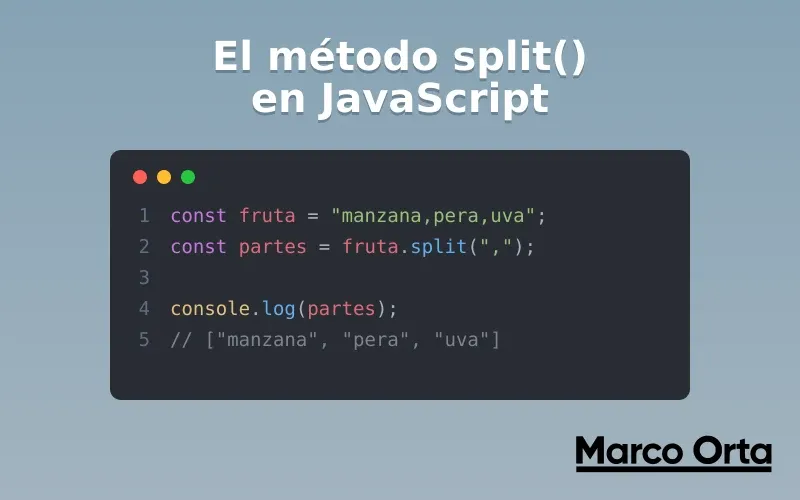
Table of Contents
If replace() is the Swiss Army knife for substituting text in JavaScript, split() is its natural counterpart for dividing it. Every time you parse a CSV, separate user-typed tags, process a file line by line or extract a file extension, there is a split() involved.
In this guide you will see every use of the split() method — from splitting by a comma to separating with regular expressions and several delimiters at once— with practical examples, the most common mistakes (including the classic emoji problem) and the split() + join() pattern that replaces replace() in many cases.
1. What split() does and when to use it
split() is a method on the String object that divides a string into an array of substrings, cutting it at the separator you specify. It does not modify the original string (strings in JavaScript are immutable): it returns a brand-new array.
const fruit = "apple,pear,banana";
const fruits = fruit.split(",");

console.log(fruits); // ["apple", "pear", "banana"]
console.log(fruits.length); // 3
The mental rule is simple: split() turns text into an array; join() turns an array back into text. They are inverse operations and almost always work together.
2. Syntax and parameters
string.split(separator, limit)
separator(optional): can be a string or a regular expression that marks where to cut. Each match of the separator is removed from the result and defines the split point.limit(optional): an integer that limits how many elements the resulting array will have. Extra splits are discarded.
The return value is always an array of strings.
Behaviors worth memorizing
// No separator → array with the whole string as the only element
"hello world".split();        // ["hello world"]

// Separator that doesn't exist → also returns the entire string
"hello world".split(",");     // ["hello world"]

// Empty string as separator → splits character by character
"hola".split("");             // ["h", "o", "l", "a"]

// Empty string split by empty → empty array
"".split("");                 // []

// Empty string split by anything else → array with one empty string
"".split(",");                // [""]
That last case is a common source of bugs: splitting an empty string does not return [], it returns [""] (an array with one element). If you are going to count results, keep it in mind.
3. The most common separators
Split by comma (parse a list or simple CSV)
const csv = "Marco,Orta,Mexico,Developer";
const fields = csv.split(",");
// ["Marco", "Orta", "Mexico", "Developer"]
For real CSV files (with quotes, commas inside fields and newlines) it is better to use a library or our JSON to CSV converter, but for simple lists split(",") is perfect.
Split by spaces (count or process words)
const text = "The quick brown fox";
const words = text.split(" ");
// ["The", "quick", "brown", "fox"]
console.log(words.length); // 4
Watch out: if there are double spaces or tabs, split(" ") produces empty strings. For that, use a regular expression (covered in section 4).
Split by newline (process a file or textarea)
const content = "line 1\nline 2\nline 3";
const lines = content.split("\n");
// ["line 1", "line 2", "line 3"]
For files that may come from Windows (\r\n) or Unix (\n), the robust approach is split(/\r?\n/).
Split character by character
const word = "code";
const letters = word.split("");
// ["c", "o", "d", "e"]
Be careful with this if the text contains emojis or characters outside the basic plane: we explain it in section 7.
4. Splitting with regular expressions
This is where split() becomes truly powerful. Passing it a regular expression as the separator lets you cut by several delimiters at once or by complex patterns.
Several delimiters at once
const messy = "apple, pear;banana  orange";
const fruits = messy.split(/[,;\s]+/);
// ["apple", "pear", "banana", "orange"]
The pattern /[,;\s]+/ splits by comma, semicolon or any amount of whitespace. The + collapses consecutive separators and avoids the empty strings that would appear with split(" ").
Normalize whitespace
const phrase = "too      much   space   here";
const clean = phrase.split(/\s+/);
// ["too", "much", "space", "here"]
If you need text transformations more complex than a simple cut, take a look at the guide on replace() and regular expressions, or test your patterns live with the Regex Tester.
Keep the delimiter with capture groups
Normally split() removes the separator. But if you use a capture group () in the regex, the delimiter is included in the result:
const operation = "10+5-3";
const parts = operation.split(/([+\-])/);
// ["10", "+", "5", "-", "3"]
This is extremely useful for tokenizing math expressions or any string where the separator also matters.
5. The limit parameter
The second argument limits how many elements you want in the array. JavaScript stops splitting as soon as it reaches the limit and discards the rest:
const date = "2026-07-18";
const yearOnly = date.split("-", 1);
// ["2026"]

const name = "Ada Lovelace Byron";
const twoParts = name.split(" ", 2);
// ["Ada", "Lovelace"]  ← "Byron" is discarded, not joined
A very common pattern is to separate the first name and keep the rest grouped. For that the limit does not help (it discards data); better combine split() with destructuring:
const [firstName, ...lastNames] = "Ada Lovelace Byron".split(" ");
console.log(firstName);        // "Ada"
console.log(lastNames.join(" ")); // "Lovelace Byron"
6. The split() + join() pattern
Chaining split() and join() is one of the most useful day-to-day techniques. It is used to replace all occurrences of something (a classic alternative to replaceAll()) and to transform text:
// Replace every underscore with a space
const slug = "my_first_article";
const title = slug.split("_").join(" ");
// "my first article"

// Reverse a string
const reversed = "JavaScript".split("").reverse().join("");
// "tpircSavaJ"

// Count how many times a substring appears
const times = "banana".split("a").length - 1;
// 3
Today, to replace all occurrences, replaceAll() is more readable than split().join(). We review both options and when to use each in the replace and replaceAll guide.
7. The Unicode and emoji gotcha
split("") splits by UTF‑16 code units, not by visual characters. With normal ASCII text it works, but it breaks with emojis and characters outside the basic plane:
"café🚀".split("");
// ["c", "a", "f", "é", "\uD83D", "\uDE80"]  ← the emoji is torn in two!
To split by real characters (graphemes) you have two modern solutions:
// Option 1: the spread operator (respects code points)
[..."café🚀"];
// ["c", "a", "f", "é", "🚀"]

// Option 2: Intl.Segmenter (respects full graphemes, the most correct)
const segmenter = new Intl.Segmenter("en", { granularity: "grapheme" });
const characters = [...segmenter.segment("café🚀")].map((s) => s.segment);
// ["c", "a", "f", "é", "🚀"]
Practical rule: if your string can contain emojis, flags or complex scripts, do not use split(""); use the spread operator or Intl.Segmenter.
8. Real-world use cases
// Extract a file extension
const file = "report.final.pdf";
const extension = file.split(".").pop();
// "pdf"

// Parse the parameters of a query string
const query = "page=2&sort=asc&lang=en";
const params = Object.fromEntries(
  query.split("&").map((pair) => pair.split("="))
);
// { page: "2", sort: "asc", lang: "en" }

// Turn user-typed tags into a clean array
const input = "  react ,  astro,, node  ";
const tags = input
  .split(",")
  .map((t) => t.trim())
  .filter(Boolean); // removes empties
// ["react", "astro", "node"]

// Initials from a full name
const initials = "Marco Antonio Orta"
  .split(" ")
  .map((p) => p[0])
  .join("");
// "MAO"
9. Common mistakes when using split()
- Expecting
[]from an empty string."".split(",")returns[""], not[]. Validate beforehand or filter the result. - Forgetting the empty strings.
"a,,b".split(",")returns["a", "", "b"]. Chain.filter(Boolean)if you don’t want them. - Using
split(" ")with multiple spaces. It generates empties; usesplit(/\s+/). - Breaking emojis with
split(""). Use the spread operator[...str]orIntl.Segmenter. - Trusting
split()for complex CSV. Commas inside quoted fields break the parsing; use a library or the JSON ↔ CSV converter. - Confusing the limit with “keep the rest”. The
limitdiscards data, it does not group it; usesplit()+...rest.
10. Performance and best practices
- For fixed, simple separators, a string is faster than a regex. Save regular expressions for when you genuinely need several delimiters or patterns.
- If you only need the first part of a string,
slice()orindexOf()are usually more efficient than building a whole array withsplit(). - Chain
map(),filter()andtrim()aftersplit()to normalize user input in a single readable flow. - If you are going to count words in a long text, lean on the word counter to verify your results.
With split(), replace() and join() mastered, you cover 90% of the string manipulation you will need in any frontend or backend JavaScript project.
Conclusion
split() is one of those functions you use every day almost without thinking, but knowing its details —the behavior with empty strings, regular expressions as separators, the limit parameter and the emoji gotcha— is what separates fragile parsing from robust parsing.
To keep mastering text manipulation in JavaScript:
- JavaScript replace and replaceAll: complete guide — the perfect companion to
split()for substituting text. - JavaScript match() and matchAll(): extract text with regex — the third key method, for extracting data rather than just splitting.
- Regular expressions in JavaScript: a practical guide — the theory behind the patterns you can use as a separator.
- Regex Tester — test the patterns you use as separators live.
- JSON to CSV converter — for when parsing with
split()falls short.
What’s the trickiest split() you’ve had to write? Next time, remember: if there’s a pattern, there’s a regex that splits it.
Found it useful? Get the next one by email
Once a week: what breaks when you upgrade, AI for developers and what I'm building, with sources. No spam.
By subscribing you accept our privacy policy.