How to Optimize Your Laravel Project Performance in 2026 (Octane + FrankenPHP)


Table of Contents
Introduction
Laravel has earned immense popularity thanks to its elegant syntax and robust feature set, but as your project scales, ensuring optimal performance becomes critical. In this updated guide for Laravel 13 (2026) we walk through the techniques that actually move the needle: from classic patterns like eager loading and indexes, to the big modern leaps like Laravel Octane with FrankenPHP, Pulse for monitoring, and optimized queues.
⚡ Spoiler: if you’re only going to apply one improvement from this guide, make it Octane with FrankenPHP: your application stops booting from scratch on every request, without rewriting your code (though you do need to audit shared state, covered below).
Octane + FrankenPHP: The Biggest Performance Boost of 2026
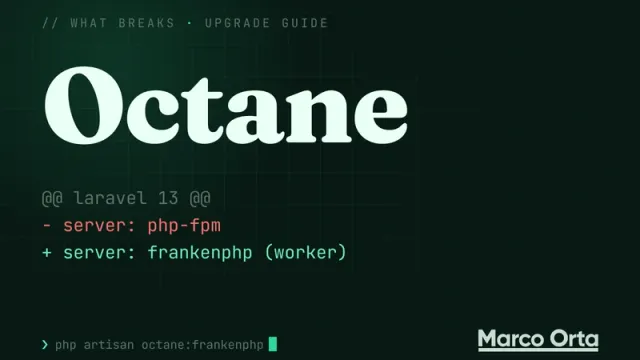
The most significant change for Laravel in recent years isn’t a new syntax feature — it’s how the application is served. By default, PHP bootstraps the entire application on every request (PHP-FPM). Laravel Octane keeps your application in memory between requests, and among the available drivers, FrankenPHP is the go-to choice in 2026 for its balance of performance and simplicity.
What Gain to Expect
There’s no universal number, and it’s worth distrusting anyone who quotes one: it depends on how heavy your application’s boot is compared to the time it spends waiting on the database or external APIs.
- Classic PHP-FPM boots the full framework on every request.
- Octane (FrankenPHP, Swoole, or RoadRunner) boots it once per worker and reuses it. Apps with a heavy boot and little I/O gain the most; if your app spends most of its time waiting on slow queries, the gain is much smaller and indexes come first.
- FrankenPHP adds early hints, automatic SSL, and Zstandard compression.
Measure your own app, before and after, against a real endpoint instead of trusting someone else’s benchmarks.
Installation
composer require laravel/octane
php artisan octane:install --server=frankenphp
php artisan octane:frankenphp
This gives you a modern server running on port 8000. In production, FrankenPHP also offers a standalone binary that serves your entire application — including static assets — in a single executable.
What You Need to Audit Before Enabling Octane
Since Laravel stays in memory, there are three patterns that worked fine with FPM but can now leak state between requests:
- Singletons that store request data: review all your service providers and
Container::singleton()calls. - Stateful static variables: if you store data in a
staticproperty on a class, it will persist between requests. - Bindings that depend on the request: use
app()->scoped()for bindings that should be refreshed each request, notsingleton().
Laravel exposes events like RequestReceived, RequestHandled, and WorkerStarting so you can reset state when needed:
// app/Providers/AppServiceProvider.php
use Laravel\Octane\Events\RequestReceived;
use Illuminate\Support\Facades\Event;

Event::listen(RequestReceived::class, function () {
    // Reset per-request state
});
When to Use It (and When Not To)
- ✅ Definitely worth it if you’re handling more than 500 req/min of real traffic.
- ✅ Public APIs, dashboards with many concurrent users, high-traffic e-commerce.
- ⚠️ For a landing page with 100 visits/day you won’t notice any difference.
- ⚠️ If you have a lot of legacy code with global state, audit it before enabling Octane in production.
What exactly breaks, reproduced on Laravel 13 with FrankenPHP (the singletons that really leak, --max-requests=0, $_ENV and the Swoole features that fail silently), is in Laravel Octane + FrankenPHP: what actually breaks.
Query Optimization
Eager Loading
Use eager loading to reduce the number of database queries. For example, when fetching posts and their comments, eager load the comments to avoid the N+1 query problem.
Before:
$posts = Post::all();
foreach ($posts as $post) {
    $comments = $post->comments;
}
After:
$posts = Post::with('comments')->get();
Database Indexing
Make sure your database tables are properly indexed to speed up query execution. Use Laravel migrations to define indexes.
Schema::table('posts', function (Blueprint $table) {
    $table->index('user_id');
});
Code Optimization
Leveraging Caching
Cache frequently accessed data to reduce the load on your database. Laravel provides a clean API for caching.
$posts = Cache::remember('recent_posts', 60, function () {
    return Post::latest()->take(10)->get();
});
Optimizing Routes
Minimize the number of routes in your application and use resource controllers to keep your routes file clean and organized.
use App\Http\Controllers\PostController;

Route::resource('posts', PostController::class);
Database Optimization
Using Database Transactions
Wrap database operations in transactions to ensure data consistency and prevent unnecessary commits.
DB::transaction(function () {
    // Database operations
});
Database Queues
Offload time-consuming tasks to queues to improve response times. Configure a queue worker to process these jobs asynchronously.
php artisan queue:work
Efficient Use of WHERE Clauses
Problem: Mixing where and orWhere without grouping returns rows you didn’t expect as soon as the query has more conditions, because SQL evaluates AND before OR.
Solution: Group orWhere calls in a closure, as the Laravel docs recommend. It isn’t a speed improvement — with a single condition both forms produce the same query — it’s a correctness one. What actually speeds up a WHERE is an index on the filtered columns.
Ungrouped (breaks once you add another filter):
$posts = DB::table('posts')->where('user_id', $userId)->where('status', 'published')->orWhere('published_at', '>=', now())->get();
// user_id = ? AND status = ? OR published_at >= ?  → returns other users' posts
Grouped:
$posts = DB::table('posts')->where('user_id', $userId)->where(function ($query) {
    $query->where('status', 'published')->orWhere('published_at', '>=', now());
})->get();
Avoid SELECT *
Problem: Using SELECT * retrieves every column from a table, even if you only need a few.
Solution: Select only the columns you actually need to reduce data transfer and improve query speed.
Use LIMIT and OFFSET with Care
Problem: Using limit and offset without a proper index can lead to slow pagination.
Solution: Use limit and offset in combination with ordering by indexed columns.
Batch Processing for Updates or Deletes
Problem: Large update or delete operations can cause locking and performance issues.
Solution: Use batch processing to update or delete records in smaller chunks.
Efficiently Handling Large Datasets
Chunking
When handling large datasets, it’s important to optimize your code to process them efficiently. Instead of loading all records into memory at once, use the chunk() method to process records in smaller batches. This prevents memory exhaustion.
Post::chunk(200, function ($posts) {
    foreach ($posts as $post) {
        // Process each post
    }
});
Observer Pattern
The observer pattern is a powerful tool for decoupling components and implementing event-driven behavior.
Observer Pattern: Laravel provides an elegant way to implement the observer pattern. You can use observers to automatically trigger actions when specific events occur on your Eloquent models.
class PostObserver {
    public function created(Post $post) {
        // Code to run after a new post is created
    }
}

// In your service provider or model
Post::observe(PostObserver::class);
Event Broadcasting
Use Laravel’s event broadcasting to send real-time updates to your application. This is especially useful for chat apps, notifications, and live updates.
// Fire an event
event(new NewComment($comment));

// Listen for the event and broadcast it
Optimizing Page Performance with Images
Implementing Lazy Image Loading
Implement lazy loading for images using the loading="lazy" attribute in HTML. This defers the loading of off-screen images, improving page load times — especially on image-heavy pages.
Optimizing Database Migrations
Optimizing Database Migrations in Large Projects
When working with a large number of migrations, consider optimizing them. Split changes into small, focused migrations, and once they pile up into the hundreds, squash them with php artisan schema:dump --prune, which replaces them with a single SQL file holding the current schema.
Example of optimizing database migrations by splitting them into smaller batches:
Step 1: Create an Initial Migration
Suppose you have an initial migration to create a “posts” table:
php artisan make:migration create_posts_table
In the generated migration file, define the schema for the “posts” table:
public function up()
{
    Schema::create('posts', function (Blueprint $table) {
        $table->id();
        $table->string('title');
        $table->text('content');
        $table->timestamps();
    });
}
Step 2: Split the Migrations
As your application evolves, you may need to make additional changes to the “posts” table. Rather than adding all those changes in a single migration, split them into smaller, focused migrations.
For example, if you want to add a “published_at” column to the “posts” table, create a dedicated migration for that change:
php artisan make:migration add_published_at_to_posts_table
In the generated migration file, define the schema modification:
public function up()
{
    Schema::table('posts', function (Blueprint $table) {
        $table->timestamp('published_at')->nullable();
    });
}
This way you have separate migrations for each schema change, making it easier to manage and roll back changes when needed.
Step 3: Run the Migrations
Run your migrations as usual:
php artisan migrate
By splitting migrations into smaller batches, you maintain better control over your database schema and can apply changes incrementally, improving the overall maintainability of your Laravel application.
Optimizing Laravel Views
Minimize Logic in Blade Templates
Problem: Complex logic and intensive calculations in Blade templates can hurt rendering speed.
Solution: Move complex operations to controllers or services instead of keeping them in Blade.
@foreach ($posts as $post)
    @if (strlen($post->title) > 50)
        {{ substr($post->title, 0, 50) }}...
    @else
        {{ $post->title }}
    @endif
@endforeach

@foreach ($posts as $post)
    {{ optimizeTitle($post->title) }}
@endforeach
Using View Composers
Problem: Repeating code across multiple views becomes hard to maintain.
Solution: Use view composers to share data across views and keep your code DRY (Don’t Repeat Yourself).
// In a service provider
View::composer(['posts.index', 'posts.show'], function ($view) {
    $view->with('categories', Category::all());
});
View Caching
Problem: Rendering dynamic content on every request can slow down page load times.
Solution: Cache the data that feeds the view, or the already-rendered HTML of a fragment. Blade has no directive for this (no @cache or anything like it); the native tool is Cache::remember, in the controller or a view composer:
// In the controller: store the fragment's HTML for an hour
$sidebar = Cache::remember('sidebar.html', 3600, function () {
    return view('partials.sidebar', ['categories' => Category::all()])->render();
});

return view('posts.index', compact('posts', 'sidebar'));
{!! $sidebar !!}
If you’d rather write it as a directive in the template, the third-party package ryangjchandler/blade-cache-directive adds a @cache('key', ttl) … @endcache that does the same under the hood. It’s a separate package, not part of Laravel.
Using Partial Views
Problem: Long, complex Blade templates become difficult to manage.
Solution: Break views into smaller, reusable partials to improve organization.
@include('partials.header')
Minimize External Requests
Problem: Loading multiple external resources (scripts, stylesheets) can slow down page load times.
Solution: Minimize external requests by combining scripts and stylesheets, and loading them asynchronously.
<!-- Load scripts asynchronously -->
<script async src="app.js"></script>

<!-- Combine and minify stylesheets -->
<link rel="stylesheet" href="styles.css">
Preload Critical Resources
Problem: Late loading of critical resources can hurt perceived performance.
Solution: Use the <link rel="preload"> tag to preload critical resources.
Production Monitoring: Pulse and Telescope
You can’t optimize what you don’t measure. In 2026 Laravel offers two first-class tools:
- Laravel Pulse: a lightweight production dashboard with server metrics, slow requests, queued jobs, and heavy queries. It adds minimal overhead in production when actively collecting — it’s designed to run continuously.
- Laravel Telescope: a detailed debugging tool for development (every request, query, mail, job, exception). Useful in staging, not in production.
composer require laravel/pulse
php artisan pulse:install
php artisan migrate
Visit /pulse to see the dashboard. Combined with an external APM (Sentry, Datadog, New Relic) you’ll have complete visibility.
Queue Optimization
For Laravel 13, the modern recommendations for queues are:
- Redis as the driver (instead of
database) for high throughput. - Horizon for a Redis workers dashboard and supervision.
composer require laravel/horizon. - Prefer
queue:workoverqueue:listenin production: it doesn’t reload the code between jobs, making it far more efficient. - Configure explicit timeouts, retries, and backoff per job using Laravel 13’s native PHP attributes:
use Illuminate\Bus\Queueable;
use Illuminate\Foundation\Bus\Dispatchable;

#[\Illuminate\Queue\Attributes\Tries(3)]
#[\Illuminate\Queue\Attributes\Backoff([1, 5, 10])]
#[\Illuminate\Queue\Attributes\Timeout(120)]
class ProcessReport implements ShouldQueue
{
    use Queueable, Dispatchable;

    public function handle(): void { /* ... */ }
}
- Use batches (
Bus::batch([...])) to process jobs as a group with progress/error callbacks.
Distributed Cache and Rate Limiting
For applications at scale, two quick but high-impact tips:
- Redis or Memcached as the cache driver instead of
fileordatabase. Because it lives in memory, it reads far faster than a file or a table and handles plenty of concurrent operations. - Rate limiting with
RateLimiter: protect your API and cut down pointless bot traffic.
RateLimiter::for('api', function (Request $request) {
    return Limit::perMinute(60)->by($request->user()?->id ?: $request->ip());
});
Frontend: Lazy Loading and CDN-Served Assets
The last 20% of perceived performance usually lives on the frontend, not the backend. Recommendations:
- Lazy loading images with
loading="lazy". - Vite (included by default in Laravel 13) instead of Mix; it handles tree-shaking and code splitting automatically.
- Serve assets from a CDN (Cloudflare, Bunny, CloudFront). Set
ASSET_URLin.env. - Compress responses with gzip/Brotli/Zstandard at the server level (FrankenPHP does this automatically).
Conclusion
Laravel optimization is an ongoing process, but in 2026 the path forward is pretty clear:
- Caching and eager loading first — they’re cheap and almost always the first thing that shows up when you measure.
- Indexes and queries next.
- Octane with FrankenPHP when traffic justifies it — the single biggest qualitative leap.
- Horizon, Pulse, and an APM to monitor as you grow.
Remember: optimizing is a journey, not a one-time task. Measure, improve, measure again.
If you’re ready to take your project to the next level, you might also enjoy How to Build a REST API with Laravel 13 and How to Build an AI Agent with Laravel and MCP.
Found it useful? Get the next one by email
Once a week: what breaks when you upgrade, AI for developers and what I'm building, with sources. No spam.
By subscribing you accept our privacy policy.