Security in Mobile Apps: 2026 Guide with OWASP MASVS 2.1 and MASTG


Table of Contents
Introduction
The Importance of Security in Mobile Applications
In today’s digital era, mobile applications have become an essential part of our daily lives, powering everything from banking transactions to personal communication and entertainment. However, this dependency has also increased the risks associated with mobile app security. As the volume and sensitivity of data handled by these applications grows, so does the interest of malicious actors in exploiting vulnerabilities. Securing mobile applications is not just a matter of data protection — it is a critical necessity for preserving user trust and complying with legal regulations.
A Brief Overview of Common Risks and Threats
Mobile applications face a range of security threats unique to their environment, including but not limited to:
- Malicious code injection: Attacks such as SQL Injection can be used to infiltrate databases through the application.
- Data theft: Unauthorized access to personal data stored on the device.
- Man-in-the-Middle (MitM): Attacks where an adversary intercepts communication between the client and the server to eavesdrop on or tamper with data in transit.
- Phishing: Tactics that trick users into providing sensitive information such as passwords or credit card details.
- Malware: Applications designed to damage the device or perform unauthorized actions on it.
Addressing these risks requires a combination of secure coding strategies, rigorous testing, and adherence to recognized security standards — all of which are fundamental to building mobile applications that are not only functional and efficient, but also secure and trustworthy.
The Reference Standard: OWASP MASVS 2.1 and MASTG
Before diving into concrete practices, it is worth highlighting the framework that underpins everything else: OWASP MASVS (Mobile Application Security Verification Standard). Version 2.0 was published in April 2023, completely rewriting the standard; version 2.1 followed in January 2024, adding the privacy control group (MASVS‑PRIVACY). As of 2026, MASVS 2.1 is the go-to reference for auditing the security of any serious mobile app.
What Changed from MASVS 1.x
- The L1/L2/R levels were removed. Controls are now organized into domain-based groups.
- “Security testing profiles” (which tests to apply based on app risk) were moved to the MASTG (Mobile Application Security Testing Guide), aligned with the NIST OSCAL standard.
- Weaknesses are now catalogued in MASWE (Mobile Application Security Weakness Enumeration), the mobile equivalent of CWE.
The 8 MASVS 2.1 Control Groups
| Group | Covers |
|---|---|
| MASVS-STORAGE | Secure storage of sensitive data on the device |
| MASVS-CRYPTO | Correct use of cryptography (algorithms, keys, randomness) |
| MASVS-AUTH | Authentication, authorization, and session management |
| MASVS-NETWORK | Secure communications (TLS, certificate pinning) |
| MASVS-PLATFORM | Safe interaction with the mobile operating system |
| MASVS-CODE | Secure coding practices and data handling |
| MASVS-RESILIENCE | Resistance to reverse engineering and tampering |
| MASVS-PRIVACY | Protection of user privacy (new in 2.1) |
How to Use It on Your Team
- For each group, document which controls you apply and how.
- Use the MASTG as a penetration testing checklist.
- Align your CI/CD pipeline with a subset of automatable tests (static/dynamic scanning).
Official sites: mas.owasp.org and the OWASP/masvs repo.
Fundamentals of Mobile Application Security
Core Security Principles
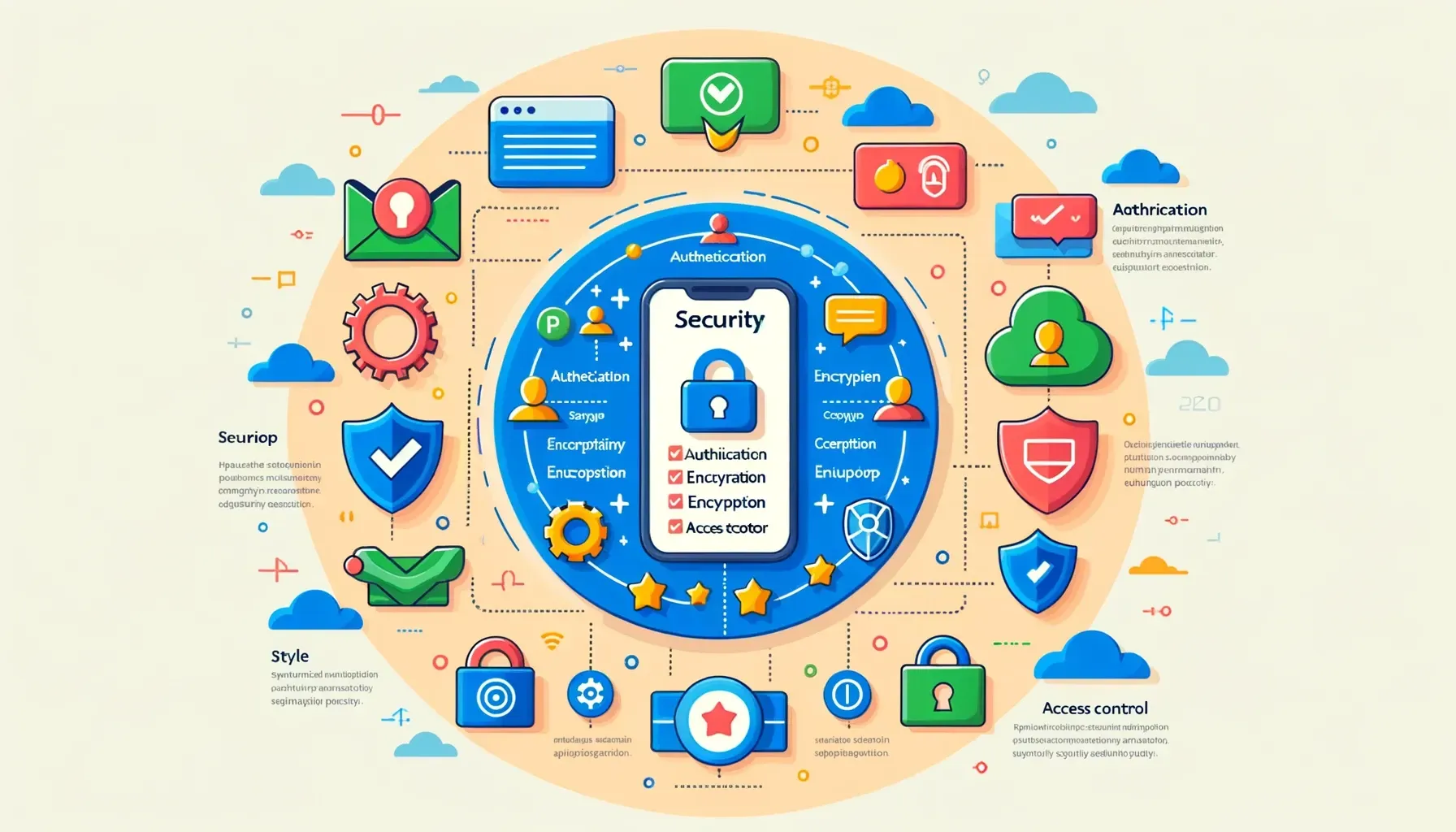
Building secure mobile applications starts with understanding and applying core security principles. These principles are fundamental for preventing vulnerabilities and protecting both users and the underlying systems from potential threats. The most important ones include:
- Principle of least privilege: Each application component should operate with the minimum set of privileges needed to carry out its function. This limits the potential damage if the component is compromised.
- Security by design: Incorporate security into every phase of the application development lifecycle, from conception through deployment and maintenance.
- Defense in depth: Use multiple layers of security to protect application data and services, so that if one layer is breached, the remaining layers continue to protect assets.
- Environment segregation: Keep development, testing, and production environments clearly separated to reduce the risk of exposing sensitive data or introducing vulnerabilities into production.
Differences Between Mobile and Desktop App Security
Although core security principles apply to both mobile and desktop applications, there are significant differences in implementation due to the specific characteristics of each platform:
- Portability and usage context: Mobile applications are used in a far wider range of environments than desktop applications, introducing additional risks such as insecure networks and physical threats to the device.
- Ecosystems and platforms: Mobile apps must run across multiple operating systems and devices, each with its own security model, which complicates security management and requires platform-specific approaches for iOS, Android, and others.
- Update cycles: Mobile devices often have faster update cycles, and operating system versions may lose support, leaving vulnerabilities unpatched if not managed properly.
- Hardware interactions: Mobile apps can interact with a wider variety of built-in sensors and hardware (such as GPS, cameras, and biometric sensors), which requires additional security considerations.
These differences demand that developers have a deep understanding of mobile platforms and the best practices specific to securing their applications effectively in the mobile context.
Authentication and Authorization Management
Best Practices for Handling User Authentication
Authentication is the process by which a mobile application verifies a user’s identity, ensuring that those accessing the app are who they claim to be. Implementing a robust authentication system is essential to protect against unauthorized access and other security risks. Key best practices include:
- Multi-factor authentication (MFA): Require users to provide two or more pieces of identity evidence to access the application, such as a password combined with a code sent to their mobile phone.
- Secure session management: Implement session timeouts and re-authentication for sensitive operations, ensuring that sessions cannot be exploited by attackers who have gained temporary access to a device.
- Strong passwords: Enforce strong password policies and provide clear guidelines for creating secure passwords. Consider using password managers and passwordless authentication where possible.
- Brute-force attack protection: Implement mechanisms such as limiting failed login attempts and triggering security alerts when suspicious activity is detected.
Implementing Secure Authorization Controls
Authorization ensures that authenticated users have permission to perform specific actions or access particular data within the application. This is crucial for maintaining the principle of least privilege and ensuring users can only access the information and features they need. Recommended strategies include:
- Role-Based Access Control (RBAC): Define clear roles within the application and assign specific permissions to each role. This simplifies permission management as users change roles or new features are added.
- Dynamic authorization policies: Use policies that can adapt to specific contexts — such as the user’s location or the device they are using — to provide an additional layer of security.
- Access audits and logs: Maintaining detailed records of user actions within the application can help detect and respond quickly to suspicious or malicious activity.
- Privilege separation: Design the application architecture to minimize the number of components or modules with access to sensitive information or critical functionality. This reduces the risk of exposure in the event of a security breach.
Implementing these practices not only improves the security of mobile applications, but also reinforces user trust — a crucial factor for the success and adoption of mobile apps in a competitive market.
Code Security and Secure Development
Techniques for Writing Secure Code
Writing secure code is fundamental for preventing vulnerabilities that attackers could exploit. Embedding secure coding techniques from the start of development can save significant resources in the long run and reduce the risk of security breaches. Recommended techniques include:
- Input validation and sanitization: Ensure that all input received from users or other external sources is validated and sanitized to prevent SQL injection, XSS, and other injection-based attacks.
- Principle of least privilege for resource access: Restrict the code’s access to operating system and network resources to only what is strictly necessary for it to function.
- Secure error handling: Configure error handling so that it does not expose detailed information that an attacker could exploit. Keep technical details hidden and present generic error messages to the user.
- Ongoing dependency review: Keep all libraries and frameworks up to date and regularly review known vulnerabilities in third-party dependencies.
Tools for Static and Dynamic Code Analysis
To complement secure coding techniques, code analysis tools can be used to identify security issues before the software is deployed:
- Static Application Security Testing (SAST): Tools that scan source code for known vulnerability patterns without executing it. These tools can be integrated into the development environment to provide immediate feedback during the coding process.
- Dynamic Application Security Testing (DAST): Tools that run the application in a controlled environment and monitor its behavior to detect vulnerabilities at runtime. This is especially useful for identifying problems that only surface during execution, such as memory leaks and certain types of injection attacks.
Code Reviews and Pair Programming as Security Practices
Peer code reviews and pair programming are valuable practices for improving code security:
- Code reviews: Inviting other developers to review code can help identify mistakes that a single person might overlook. This practice also promotes the spread of knowledge about secure coding techniques within the team.
- Pair programming: Coding in pairs not only improves code quality, but also ensures that at least two people understand each part of the system — increasing security by reducing the chance of inadvertently introducing vulnerable or malicious code.
Integrating these practices into the software development lifecycle not only improves the security of mobile applications, but also strengthens a security culture within development teams, making everyone more aware of security at every stage of development.
Encryption and Sensitive Data Management
Using Encryption to Protect Data at Rest and in Transit
Encryption is one of the most effective tools for ensuring the confidentiality and integrity of data — both stored on the device and transmitted over insecure networks. Properly implementing encryption is crucial for protecting sensitive data from unauthorized access:
- Encryption of data in transit: Use secure protocols such as TLS/SSL to encrypt all data transmitted between the mobile application and servers. This protects information from man-in-the-middle attacks.
- Encryption of data at rest: Encrypt sensitive data stored on the device — such as passwords, personal information, and financial data — using strong encryption algorithms like AES.
- VPNs and other secure networking technologies: For applications that transmit highly sensitive data, consider using virtual private networks (VPN), which provide an additional encrypted channel over existing network connections.
Best Practices for Encryption Key Management
Managing encryption keys is just as important as using encryption itself, because a compromised key can nullify all security benefits. Key best practices include:
- Key rotation: Regularly rotate encryption keys and ensure that old keys are securely destroyed to prevent their use if discovered.
- Secure key storage: Use hardware security modules (HSM) or secure key stores provided by the device’s operating system, such as Keychain on iOS or Android Keystore.
- Key separation: Use different keys for different purposes or data sets to limit the impact in case one key is compromised.
Additional Considerations for Encryption on Mobile Devices
Given the particular context of mobile development, there are additional considerations to keep in mind for effective encryption:
- Performance and battery life: The encryption process can be resource-intensive, so it is crucial to optimize these processes to minimize the impact on device performance and battery consumption.
- Compatibility and standards: Ensure that the encryption implementation is compatible with all target devices and OS versions, and that it meets internationally recognized security standards.
Implementing encryption and effective key management is essential for protecting sensitive data in mobile applications, helping to build a robust solution that safeguards the privacy and security of end users.
Application Interface Security
Protection Against Interface Attacks: Clickjacking and UI Redressing
Interface attacks such as clickjacking and UI redressing occur when an attacker manipulates an application’s user interface to trick users into performing unintended actions. These attacks can compromise user security and application integrity. To protect against such threats, it is essential to implement robust security measures:
- Use of secure view layers: Ensure that user interface elements cannot be manipulated or overlaid by malicious external views.
- User context validation: Implement measures that verify that actions performed by users align with the expected flow within the application, preventing out-of-context action execution.
- Transparency and clear consent: Design interfaces that make the outcome of user interactions explicit, ensuring that users are fully informed before taking any action that could affect their security or privacy.
Security in APIs and Web Services
Mobile applications frequently interact with APIs and web services to perform essential functions — from loading data to processing transactions. It is vital to ensure these communications are secure to prevent attacks that could compromise both the application and user data:
- API authentication and authorization: Implement robust authentication and authorization mechanisms across all APIs, ensuring that only authorized users and applications can access them.
- Data validation and sanitization: Ensure that all data sent and received through APIs is validated and sanitized to prevent SQL injection, XSS, and other data manipulation attacks.
- Use of HTTPS: Use HTTPS to encrypt all communications between the mobile application and web services, protecting data in transit against interception and tampering.
- Limiting API exposure: Design APIs to expose only the necessary resources with the minimum required privilege level, minimizing the attack surface available to malicious actors.
Implementing these security measures in the application interface and API communications is crucial for protecting the integrity and privacy of user data, as well as keeping the application secure and reliable.
Security Testing for Mobile Applications

Types of Security Testing
Security testing is essential for identifying and remediating vulnerabilities in mobile applications before they can be exploited by attackers. The following are some of the key tests that should be integrated into the software development lifecycle:
- Penetration testing: Simulates attacks in a controlled environment to identify weak points in the application. These tests are conducted by security experts who attempt to exploit vulnerabilities and assess the application’s resilience against real-world attacks.
- Vulnerability scanning: Uses automated software to scan applications for known vulnerabilities. These tests are useful for detecting common issues that can be fixed before the application goes live.
- Security audits: Include thorough reviews of the code, configuration, and infrastructure on which the application runs. These audits help ensure that security practices are being followed correctly and have been properly implemented.
Automating Security Testing
Automation plays a crucial role in security testing due to the speed with which tests can be executed and repeated throughout the development process:
- Automated testing tools: These tools allow security tests to be run regularly without manual intervention, ensuring that tests are not skipped and can be executed efficiently every time a code change is made.
- CI/CD integration: Integrating security tests into continuous integration and continuous delivery (CI/CD) pipelines allows vulnerabilities to be detected and addressed as early as possible in the development cycle.
- Continuous assessment: The ability to run security tests automatically and regularly provides constant monitoring of the application’s security health, facilitating early identification of new risks as the project evolves.
Implementing both manual and automated security testing is vital for developing secure mobile applications. It provides a safety net that helps catch and mitigate issues before the application is released to the public, reducing the risk of security incidents and protecting both users and the organization from potential harm.
Compliance and Regulations

Overview of Relevant Regulations (GDPR, HIPAA, etc.)
When developing mobile applications, it is essential to adhere to the laws and regulations governing data protection and privacy. Depending on the geographic scope and sector of the application, different regulations may apply:
- GDPR (General Data Protection Regulation): Applicable to all companies handling data of EU citizens, this regulation imposes strict requirements regarding user consent, transparency, and ease of access to personal data.
- HIPAA (Health Insurance Portability and Accountability Act): Essential for applications handling medical information in the United States, HIPAA protects the privacy of health data and establishes standards for its secure handling and transmission.
- CCPA (California Consumer Privacy Act): Similar to GDPR, this law gives California consumers greater control over how their personal data is used.
Incorporating Compliance Requirements into App Development
Ensuring a mobile application complies with relevant regulations is not just a legal obligation — it is also a matter of trust and accountability toward users. To achieve this:
- Early compliance integration: Incorporate compliance requirements from the earliest stages of application development to ensure the architecture and design are not only secure, but also aligned with applicable legislation.
- Regular compliance audits: Conduct periodic reviews and audits of the applications to ensure they continue to meet regulations as those regulations evolve and are updated.
- Team training and awareness: Keep the development team informed and trained on the latest regulations and compliance best practices so they can implement them effectively in their work.
Compliance Tools and Strategies
Using specialized tools can facilitate ongoing compliance throughout the application development lifecycle:
- Data management and privacy tools: These tools help map and manage the personal data processed by the application, ensuring that privacy policy requirements and data protection laws are met.
- Compliance plugins and modules for development frameworks: Many modern development frameworks offer modules that ease the implementation of compliance-related features, such as consent management and data encryption.
Implementing these practices not only minimizes the risk of legal non-compliance and the associated penalties, but also reinforces the application’s reputation as one that respects and protects user privacy.
Case Studies and Real-World Examples
Examples of Security Failures in Mobile Applications
Analyzing real-world cases of security failures in mobile applications can provide valuable lessons for developers, designers, and system administrators. These case studies not only reveal common vulnerabilities, but also illustrate the consequences of failing to follow recommended security practices. Here are some notable examples:
- Personal data leaks: Cases where popular applications exposed personal data due to insecure storage or unencrypted data transmission — such as certain social media apps that left the data of millions of users exposed.
- SQL injection breaches: Applications that failed to properly validate user input, allowing attackers to manipulate underlying databases.
- Malware embedded in applications: Incidents where seemingly legitimate applications were used to distribute malware, affecting user devices and data.
How These Failures Could Have Been Prevented
In each of these cases, a detailed review of how the failures could have been avoided offers crucial insights for continuous improvement:
- Implementation of rigorous input and output controls: Apply data validation and sanitization techniques to prevent injection attacks and other data manipulation exploits.
- Extensive use of encryption: Apply encryption to both data in transit and data at rest to protect confidential information from unauthorized access.
- Regular security audits and penetration testing: These practices can identify and mitigate vulnerabilities before they are exploited by attackers.
Lessons Learned and Best Practices
From these analyses, valuable lessons and practical recommendations emerge for strengthening mobile application security:
- Continuous education and training: Keep the development team up to date with the latest security techniques and known vulnerabilities.
- Adopting a comprehensive security approach: Treat security as a shared responsibility for everyone involved in developing and maintaining the application — from initial design through post-launch operations.
- Implementing an incident response strategy: Develop and rehearse a security incident response plan that enables swift action to mitigate the impact of a breach.
These case studies and real-world examples underscore the importance of taking a proactive and well-informed approach to security in mobile application development. By studying these incidents and applying the lessons learned, developers and organizations can significantly improve the robustness and resilience of their applications against emerging threats.
Conclusion
Summary of Security Best Practices
Security in mobile application development is a crucial component that must be integrated into every phase of the development lifecycle. By applying the best practices discussed throughout this guide, developers and organizations can ensure that their applications not only meet expectations for functionality and performance, but also protect user privacy and data. These practices include:
- Implementing robust authentication and authorization to ensure that only authorized users can access critical features and data.
- Secure coding and continuous testing to identify and remediate vulnerabilities before they can be exploited.
- Encrypting sensitive data both in transit and at rest to protect against unauthorized access.
- Complying with relevant regulations and laws to avoid legal penalties and strengthen user trust in the application.
The Importance of Staying Current with the Latest Security Trends
The field of information security is constantly evolving, with new vulnerabilities discovered regularly and emerging technologies presenting both opportunities and new security challenges. Staying current with the latest trends and threats is essential for:
- Adopting new technologies securely: Integrating emerging technologies — such as artificial intelligence and machine learning — into mobile applications presents unique challenges that require an up-to-date understanding of security best practices.
- Responding effectively to emerging threats: Understanding the ever-changing landscape of cyber threats allows developers and organizations to anticipate and effectively mitigate attacks before they cause harm.
In conclusion, integrating robust security practices into mobile application development is not only a technical and legal necessity, but also an ethical obligation toward users. By taking a proactive and well-informed approach to security, developers can build applications that are not only innovative and functional, but also secure and trustworthy.
Additional Resources and Tools
Security Tool Links
To support secure mobile application development, there are numerous tools and platforms that can help implement the best practices discussed in this guide. Here are some useful links to widely recognized and industry-used security tools:
- OWASP ZAP (Zed Attack Proxy): One of the most popular security tools for penetration testing of web and mobile applications. Available at OWASP ZAP.
- SonarQube: A tool that helps detect bugs, vulnerabilities, and code smells in source code. More information available at SonarQube.
- Checkmarx: Offers static application security testing (SAST) that integrates with CI/CD for continuous code review. Visit Checkmarx for more details.
- Veracode: A platform that provides automated security testing for mobile and desktop applications. Find more information at Veracode.
Recommended Books and Courses for Deepening Mobile App Security Knowledge
In addition to tools, it is essential to continue education and training in mobile application security through books and courses. Some recommendations include:
- “The Mobile Application Hacker’s Handbook” by Dominic Chell, Tyrone Erasmus, et al.: A comprehensive book covering attack and defense techniques in mobile application development.
- “Secure and Resilient Mobile Applications Development” offered by various universities on platforms such as Coursera or edX, providing a solid foundation in secure development practices for mobile applications.
Conferences and Workshops
Attending conferences and workshops is another excellent way to stay current with the latest trends and best practices in mobile application security. Some notable events include:
- Black Hat Conferences: Offers sessions focused on cybersecurity, including secure mobile application development.
- DEF CON: Known for its hands-on workshops and discussions about security vulnerabilities, including those specific to mobile applications.
These resources and tools are essential for any mobile application development professional looking to strengthen their security skills, ensuring the creation of robust, secure, and trustworthy applications for end users.
Found it useful? Get the next one by email
Once a week: what breaks when you upgrade, AI for developers and what I'm building, with sources. No spam.
By subscribing you accept our privacy policy.