AI Without Sending Data Out: Local LLMs for Law Firms and Small Businesses


Table of Contents
When a law firm pastes a draft contract into ChatGPT, or an accounting practice uploads a payroll file for a summary, they’re doing something with a legal name: an international transfer of personal data. That’s not an opinion, it’s the regime that applies.
It doesn’t mean it’s illegal. It means there’s a regime to comply with, and most small businesses using AI daily have no idea they’re inside it.
The alternative — running the model on your own hardware, so the data never leaves — has been viable for two years and became comfortable this year. This article covers what it actually solves, what it doesn’t solve (the part nobody tells you), and how to set it up.
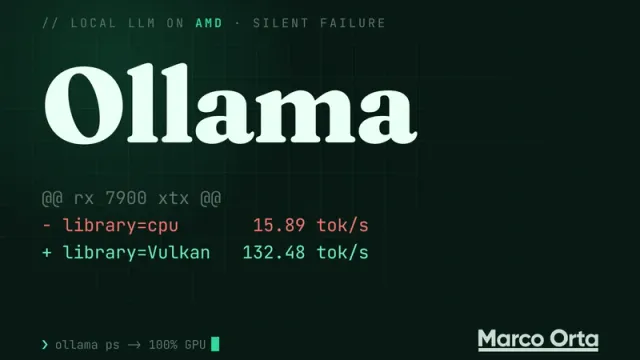
I’m writing from a machine that runs it: Ollama 0.32.6, 10 models and 122 GB on disk, on a Radeon RX 7900 XTX with 24 GB — not an NVIDIA, which is the case everyone documents and almost nobody contradicts.
The legal framework, without the scaremongering
There’s a lot of consultancy content selling fear here. Let’s stick to what’s verified and dated.
Europe: the US cloud is legal today, but it’s a bet
Transfers of personal data to the United States currently rely on the EU-US Data Privacy Framework, the Commission’s 2023 adequacy decision. The EU General Court upheld it on September 3, 2025, dismissing Philippe Latombe’s action for annulment.
So as of today, using a US provider certified under the framework is perfectly legal.
The nuance matters: Latombe appealed to the CJEU on October 31, 2025 (Case C-703/25 P) and the appeal is still pending. And there’s precedent — this is the third attempt. Safe Harbour fell in 2015 with Schrems I; Privacy Shield fell in 2020 with Schrems II. Both for the same underlying reason, which hasn’t gone away.
Translated into a business decision: you’re not in breach, you’re depending on an adequacy decision that has already collapsed twice. If a critical process rests on that, you should know the exposure and what it would cost to rebuild it in a hurry.
Mexico: cloud outside the country is already an international transfer
The new LFPDPPP was published in the Official Gazette on March 20, 2025 and took effect the next day, replacing the 2010 law.
What changes the calculus for any Mexican SMB: if you use a cloud provider with servers outside Mexico to process data belonging to clients, employees, or suppliers, you are triggering the international transfer regime. And Article 36 only allows transfers without consent in a narrow, closed list of cases.
On top of that, with INAI dissolved, the supervisory authority is now the Secretaría Anticorrupción y Buen Gobierno.
The AI Act applies even when the model is yours
This is the most misunderstood point, so it goes in bold: running the model locally does not exempt you from Article 50 of Regulation (EU) 2024/1689.
Since August 2, 2026 the transparency obligations are enforceable and punishable:
- A chatbot must disclose that it is a machine.
- Synthetic content must carry machine-readable marking.
- Deepfakes must be declared.
And it applies regardless of when the system was placed on the market. Article 99.4 puts these infringements in the bracket of up to €15 million or 3 % of worldwide annual turnover, whichever is higher — with proportionality criteria for SMEs.
Watch that figure, because it circulates wrong: the €35M / 7 % bracket is for prohibited practices, not for transparency.
What a local model solves, and what it doesn’t
This table is the heart of the article. If you take away one thing, make it this.
| Cloud (OpenAI, Anthropic, Google) | Local (Ollama on your server) | |
|---|---|---|
| International transfer | ✅ There is one, with its regime | ❌ None. The data never leaves |
| Data processor | Contract with the provider | No third party |
| Reliance on adequacy | Yes (DPF, under appeal) | None |
| Provider-side retention | Per policy and plan | Zero |
| Lawful basis | Still required | Still required |
| Record of processing activities | Still required | Still required |
| Data protection impact assessment | May be required | May be required just the same |
| Duty to inform data subjects | Yes | Yes |
| AI Act Art. 50 (disclose it’s AI) | Yes | Yes, exactly the same |
| Access / erasure rights | Via the provider | Yours, and yours to answer for |
What a local model takes off your plate is the top block: the international transfer disappears, the external processor disappears, and the dependency on an adequacy decision under appeal disappears.
What it doesn’t take away is everything else. You’re still processing personal data, so you still need a lawful basis, notice to data subjects, a record of processing activities, and depending on the case, an impact assessment. Local is not a synonym for compliant. It’s one brick, not the building.
If someone tells you “with local AI you’re GDPR compliant,” they’re simplifying to the point of being wrong.
Hardware: what you actually need
The most asked question, and the worst answered. The practical rule is simple:
You need enough VRAM for the model to fit entirely. If it doesn’t fit, it spills into system RAM and throughput collapses.
A model quantized to Q4_K_M — the de facto standard, good quality at a reasonable size — takes roughly 0.6 GB per billion parameters, plus context.
| VRAM | What it runs comfortably | What it’s good for |
|---|---|---|
| 8 GB | 7-8B models | Summaries, classification, extraction |
| 12-16 GB | Up to 14B, or 20B if you squeeze | Drafting, document analysis |
| 24 GB | Comfortable up to 27-30B | Real professional workloads |
| 48 GB+ | 70B and beyond | When quality outweighs cost |
24 GB is the sweet spot in 2026: it’s where quantized 27-30B models fit, and that’s the first tier where an open model drafts and reasons well enough to replace real tasks.
A note on AMD that nobody writes
Nearly all local-LLM content assumes NVIDIA and CUDA. This machine runs a Radeon RX 7900 XTX with 24 GB and Ollama works without drama.
Worth saying because AMD’s price per gigabyte of VRAM is noticeably better, and for inference — which is all you’ll be doing here, not training — the practical gap is far smaller than the internet consensus suggests. If you’re buying hardware for this, don’t rule out AMD out of habit.
One thing that does matter: leave enough system RAM. This one has 32 GB allocated and 14 processors, which lets the system breathe while the model works.
Setting it up: from zero to running
# Linux or WSL
curl -fsSL https://ollama.com/install.sh | sh

# Check it responds
curl -s http://localhost:11434/api/version
# {"version":"0.32.6"}
Pull a model and try it:
ollama pull qwen3:8b        # 5.2 GB — start here
ollama run qwen3:8b "Summarize in three bullets: ..."
That’s it. That’s everything required for no data to leave the machine.
Choosing a model
This section ages fast, so it’s dated: August 2026. This is the actual inventory on the machine I’m writing from, with sizes:
| Model | Parameters | Quantization | Disk | What I use it for |
|---|---|---|---|---|
glm-4.7-flash | 29.9B | Q4_K_M | 19.0 GB | Long-form reasoning |
gemma4:26b | 25.8B | Q4_K_M | 18.0 GB | Drafting in Spanish |
qwen3.6:27b | 27.8B | Q4_K_M | 17.4 GB | General purpose |
devstral-small-2 | 24.0B | Q4_K_M | 15.2 GB | Code |
gpt-oss:20b | 20.9B | MXFP4 | 13.8 GB | Faster alternative |
gemma4:latest | 8.0B | Q4_K_M | 9.6 GB | Short tasks |
qwen2.5vl:7b | 8.3B | Q4_K_M | 6.0 GB | Reading images and scanned PDFs |
qwen3:8b | 8.2B | Q4_K_M | 5.2 GB | The workhorse |
nomic-embed-text | 137M | F16 | 0.3 GB | Embeddings for search |
Don’t copy this list six months from now. The names change every quarter; what doesn’t change is the criteria:
- Start with an 8B. It handles more than people assume and runs on anything.
- Move to 27-30B only when the 8B falls short on your specific task, not preemptively.
- Keep a vision model if you handle scanned documents. In a professional practice, half of what comes in is a photographed PDF.
- Keep a separate embeddings model. It’s tiny, and it’s what makes searching your own documents possible.
And measure your context before fighting it: local models have shorter windows than cloud ones, and a whole contract may simply not fit.
Letting the model know your documents, without them leaving
A local model with no access to your data isn’t much use. The pattern is local RAG: you chunk your documents, turn them into vectors with an embeddings model, store them, and retrieve the relevant fragments for each question.
All of it with nomic-embed-text, which takes 300 MB:
curl -s http://localhost:11434/api/embeddings -d '{
  "model": "nomic-embed-text",
  "prompt": "Confidentiality clause in the lease agreement"
}'
The point for this article: embeddings are computed on your machine and the vector stays on your disk. There is no call to an external service at any point in the chain — not when indexing, not when searching, not when answering.
For the vector store you don’t need anything exotic: SQLite with a vector extension is more than enough for a professional practice’s document volume.
The three mistakes people make
1. Exposing Ollama to the internet
This one is serious and common. Ollama ships without authentication. If you set it to listen on 0.0.0.0 and open the port, anyone who finds your IP uses your GPU — and worse, sees what you’re asking it.
There are people scanning the internet specifically for exposed Ollama servers. This isn’t hypothetical.
# It listens on localhost only by default. Leave it that way.
OLLAMA_HOST=127.0.0.1:11434

# Need access from other machines in the office?
# Put it behind an authenticating proxy, or on a VPN.
# Never straight onto the internet.
Check from outside that it doesn’t answer. If it does, you have a problem today, not tomorrow.
2. Believing local means compliant
I said it above and I’ll repeat it because it’s the expensive misunderstanding: a local model removes the international transfer, not the rest of your obligations. You still need the record of processing activities, the lawful basis, and the disclosure that AI is involved.
3. Loading the biggest model that fits
A 30B scraping the VRAM ceiling stutters and frustrates users until they stop using it. An 8B that answers instantly gets used every day. The tool that gets used beats the one that’s better on paper.
When NOT to do this
For honesty, because it doesn’t always pay off:
- If your data isn’t personal or confidential. If you’re drafting marketing copy, the privacy argument doesn’t apply and the cloud is better and cheaper.
- If you need frontier capability. Open 27-30B models are good; they aren’t at the level of the best commercial models on hard reasoning. If your use case lives there, local will disappoint you.
- If nobody will maintain it. A server nobody updates is debt, and eventually a bigger security risk than the problem it solved.
- If the volume is trivial. Ten queries a day don’t justify hardware plus maintenance.
The case where it clearly pays off is sharp: steady volume of documents containing personal data or privileged information. Law firms, accounting and tax practices, medical offices, HR. There the math almost always favors local.
Conclusion
The argument for a local model isn’t that the cloud is illegal — today it isn’t. It’s that the cloud makes you dependent on an adequacy decision that has already collapsed twice and is under appeal a third time, whereas a local model deletes the question entirely: if the data never leaves, there’s no transfer to justify.
For a small business or a professional practice, the entry cost is a machine with 24 GB of VRAM and an afternoon of setup. In exchange: the data never leaves the building, there’s no third-party retention, and you don’t depend on a court in Luxembourg upholding a Commission decision.
What you shouldn’t buy is the mental shortcut. Local solves the transfer, not compliance. You still have to write the record of processing activities, and the chatbot still needs to disclose that it’s a machine — even when the machine is in your own basement.
Found it useful? Get the next one by email
Once a week: what breaks when you upgrade, AI for developers and what I'm building, with sources. No spam.
By subscribing you accept our privacy policy.