How to Integrate the OpenAI API with Laravel (Step-by-Step Guide)

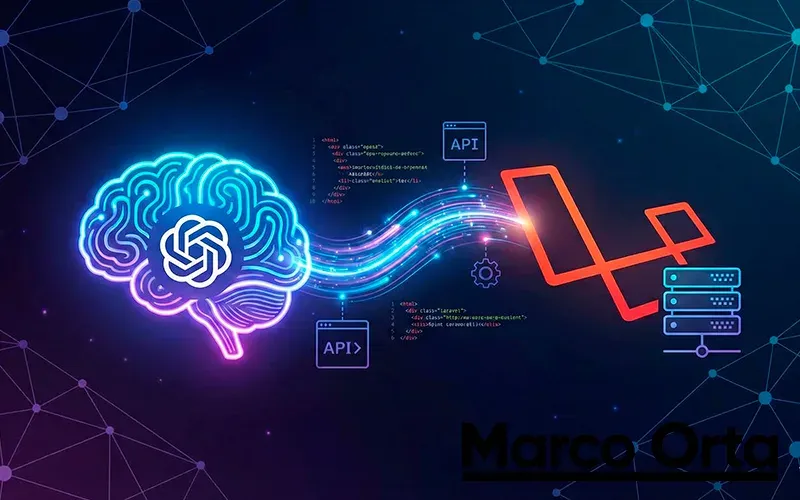
Table of Contents
Artificial Intelligence has stopped being a “technology of the future” and has become an essential tool in any FullStack developer’s arsenal.
In this tutorial, you will learn how to integrate the OpenAI API into a Laravel project to generate text, complete sentences, or build an intelligent chat. We will use the PHP client maintained by the community and Nuno Maduro, which is the de facto standard for Laravel.
Prerequisites
Before getting started, make sure you have:
- PHP 8.2 or higher (8.4 recommended) — if you have not installed it yet, check the guide to install PHP on Windows.
- A Laravel project installed (version 12 or 13). If you are coming from an older version, see how to upgrade your Laravel project to the latest version.
- An account on OpenAI Platform.
Step 1: Get Your API Key
- Go to OpenAI API Keys.
- Create a new secret key (Create new secret key).
- Copy it immediately (you will not be able to see it again).
Step 2: Install the Client
We will use the openai-php/client package. Open your terminal at the root of your Laravel project and run:
composer require openai-php/client
Step 3: Configure Environment Variables
You should never write API keys directly into your code. Open your .env file and add your key:
OPENAI_API_KEY=sk-your-secret-key-here...
OPENAI_ORGANIZATION=org-your-optional-id
Now, it is good practice to configure this in config/services.php so you can access it cleanly throughout the application:
// config/services.php

return [
    // ... other configuration
    'openai' => [
        'api_key' => env('OPENAI_API_KEY'),
    ],
];
Step 4: Create the Controller
Let’s create a controller to handle the AI logic. Run:
php artisan make:controller AiController
Open app/Http/Controllers/AiController.php and add the following code. In this example, we will create an endpoint that suggests blog title ideas (very meta!).
<?php

namespace App\Http\Controllers;

use Illuminate\Http\Request;
use OpenAI;

class AiController extends Controller
{
    public function suggestTitles(Request $request)
    {
        // Validate that the user submits a topic
        $request->validate([
            'topic' => 'required|string|max:100',
        ]);

        // Initialize the client
        $client = OpenAI::client(config('services.openai.api_key'));

        // Make the request to the API (GPT-5.6 / GPT-5.4 family)
        $result = $client->chat()->create([
            'model' => 'gpt-5.4-mini', // Fast and cost-effective model
            'messages' => [
                ['role' => 'system', 'content' => 'You are an expert in SEO and technical writing.'],
                ['role' => 'user', 'content' => "Give me 3 compelling titles for an article about: {$request->topic}"],
            ],
        ]);

        // Extract the content from the response
        $content = $result->choices[0]->message->content;

        return response()->json([
            'topic' => $request->topic,
            'suggestions' => $content,
        ]);
    }
}
Step 5: Define the Route
Go to your routes/api.php file (or web.php if you prefer to test it directly in the browser without Postman) and register the new route:
use App\Http\Controllers\AiController;
use Illuminate\Support\Facades\Route;

Route::post('/ai/suggest-titles', [AiController::class, 'suggestTitles']);
Step 6: Test the Integration
You can now test your integration. If you use a tool like Postman or Thunder Client, make a POST request to http://your-domain.test/api/ai/suggest-titles with the following JSON:
{
    "topic": "Laravel and Astro"
}
Expected Response
The API will return something like this:
{
    "topic": "Laravel and Astro",
    "suggestions": "1. Building the future: Combine the power of Laravel with the speed of Astro.\n2. The definitive guide to using Laravel as a Headless CMS for Astro.\n3. Astro vs Blade: Why you should decouple your Frontend?"
}
Important Considerations
- Which model to choose: in 2026 the current family is GPT-5.6 (Sol, Terra, and Luna). For narrow tasks like this one (classifying, summarizing, generating titles), a small model such as
gpt-5.4-minior GPT-5.6 Luna is more than enough; save Sol or Terra for complex reasoning. You can find the full pricing comparison in how much the OpenAI, Claude, and Gemini APIs cost. - Costs and Limits: Remember that the OpenAI API is pay-per-use. Set spending limits in your OpenAI dashboard to avoid surprises.
- Latency: AI requests can take several seconds. If you plan to use this in production, consider using Laravel Queues to process the request in the background and avoid blocking the user. For more tactics, check the Laravel performance optimization guide.
- Security: Never expose your API Key on the frontend (JavaScript). Always make calls from your server (Backend) as we did in this example.
Conclusion
Integrating AI into Laravel is remarkably straightforward thanks to the PHP package ecosystem. With just a few lines of code, you can add summarization, translation, chat, or content generation features to your applications.
If you want to keep learning, I recommend:
- How to Build a REST API with Laravel — to expose your AI endpoint to the frontend.
- Passwordless Authentication in Laravel — to protect AI calls per user.
What are you going to build with this integration?
Found it useful? Get the next one by email
Once a week: what breaks when you upgrade, AI for developers and what I'm building, with sources. No spam.
By subscribing you accept our privacy policy.